




Top10VPN is editorially independent. We may earn commissions if you buy a VPN via our links.
The Best VPNs for Routers
Simon Migliano
Simon Migliano is a recognized world expert in VPNs. He's tested hundreds of apps and his research has been featured on the BBC, The New York Times, and more. Read full bio
Using a VPN-owned or pre-flashed router is the easiest way to use a top-tier VPN on your router. The best VPN for routers is ExpressVPN thanks to its own Aircove router and intuitive dedicated web app. It allows custom protection for any device on your network, supported by industry-leading security and privacy standards. Proton VPN is the only free VPN with an unlimited data policy that allows router configuration, but it’s only good to hide your IP, not to bypass geo-restrictions.
VPN services are often incompatible with routers, or they require a long, complicated setup process to work properly.
Even if your VPN does offer router support, it still may not be compatible with your particular router model.
The best router VPNs are those that work on various hardware models, and are optimized for use with routers.
This means offering a dedicated router app or partnering with third-party services to provide a “pre-flashed router.” At a minimum, they must provide helpful guides for manual setup.
Summary: The Best VPNs for Routers
Out of 60 VPNs we rigorously tested, we recommend the four below for routers:
We’re fully independent and have been reviewing VPNs since 2016. Our ratings are based on our own testing results and are unaffected by financial incentives. Learn who we are and how we test VPNs.
VPNs Tested
60
Test Router
Linksys WRT3200ACM
Router Firmware Tested
DD-WRT & OpenWrt
We manually installed and tested every compatible VPN ourselves, assessing the quality of each one and the setup difficulty.
The VPNs we’ve shortlisted were the simplest and most effective to use with our Linksys WRT3200ACM router.
Router VPNs vs VPN Routers: What's the Difference?
Way too often the terms “router VPN” and “VPN router” are mistakenly used synonymously.
A router VPN is a VPN service that you can set up directly on a router.
You can do this by manually installing the VPN’s software onto the router, or by purchasing a pre-configured (pre-flashed) router with the VPN software already installed on it.
By contrast, VPN routers are WiFi routers that come with the necessary firmware to support VPN software, and often cost in excess of $100.00. Popular VPN-compatible router brands include Asus, D-Link, Linksys, and Netgear.
Our Linksys WRT 3200ACM test router.
VPN Comparison Table
The comparison table below shows our VPN recommendations side by side:
ExpressVPN is our recommended router VPN mainly due to its own VPN router called Aircove.
Aircove comes with its own dedicated app which allows you to easily change settings and, most importantly, your IP address on any device connected to your home WiFi network.
You can also use ExpressVPN on many popular router brands like Asus and Linksys, by manually configuring Lightway.
ExpressVPN worked smoothly with our Linksys WRT3200ACM router.
Fully Featured Router with Web App
ExpressVPN is the only VPN service to have developed its own WiFi VPN router with a dedicated app.
It’s extremely simple to use, requiring no technical knowledge. It’s plug-and-play, with ExpressVPN already installed on it, so you can get started in less than five minutes.
ExpressVPN’s Aircove Go router comes with its own VPN router app.
The app is controlled through your web browser on www.expressvpnrouter.com, where it functions in the exact same way as any other ExpressVPN app.
Your connections will be encrypted through the same technology all other ExpressVPN software uses, including the Lightway protocol plus AES-256 and ChaCha20 encryption.
One of the most useful features of the router app is the “Device Groups” setting. This allows you to assign different IP locations to specific devices on your network.
You can even create a separate WiFi network just for your guests.
Compatible with Many Router Models
If you don’t want to buy Aircove, you can still use ExpressVPN’s configuration files with many WiFi 5, 6, and 7 router brands.
It’s certainly less user-friendly to do this, as you have to manually install a different file for each location you want to connect to.
Even if the setup process is relatively straightforward, it’s impractical if you want to quickly switch IP location.
Excellent Balance of Speed, Security & Access
ExpressVPN is a standout all-round VPN, with 13,360 fast and secure servers that bypass most streaming geo-blocks around the globe.
You can in fact use ExpressVPN to access 18 Netflix regions, HBO Max, Paramount+, Prime Video, Disney+, Hulu, YouTube TV, and many more platforms.
Thanks to its no-logs policy, diskless servers, and speedy connections, ExpressVPN is also an excellent VPN for anonymous torrenting and file sharing.
We also love the VPN’s ‘ShuffleIP’ technology, which automatically assigns you a new IP address on every website or app visit, without affecting your online location.
While NordVPN hasn’t built its own router, it’s nonetheless a great alternative to ExpressVPN, especially if you buy the Privacy Hero 2 NordVPN router.
The FlashRouters integration is excellent, with a web app to match ExpressVPN’s ease-of-use and overall performance.
NordVPN is in fact incredibly fast, even faster than ExpressVPN over long distances, and almost as effective at bypassing content geo-restrictions.
We installed NordVPN on our test router to unblock HBO Max.
Pre-flashed Router Closely Rivals Aircove
If you want to keep it simple, then the best thing to do is purchase the Privacy Hero 2 NordVPN router from FlashRouters.
It’s a pre-flashed router that uses the NordLynx protocol and is a “plug-and-play” challenger to Aircove.
The Privacy Hero dashboard allows you to cover your entire network as well as individual devices, even those that don’t support VPNs natively.
The web app is fully integrated with NordVPN, providing you with access to key settings such as the VPN kill switch and split tunneling.
The app’s interface is relatively easy to use and we didn’t have any issues switching from one VPN server location to another.
We found it most useful to use NordVPN with our PlayStation, quickly changing our gaming region to access less “sweaty” lobbies on Call of Duty.
Manual Configuration Is Straightforward
Like many top-tier VPNs, you can also install NordVPN manually on a variety of routers and firmware, with detailed setup guides available for each one.
Each setup guide is well-written and easy to follow, with plenty of screenshots and videos to simplify the process.
There are even instructions on how to use NordVPN with a Starlink router, via the hardware’s VPN passthrough feature.
In the rare instances we were unable to understand a step, NordVPN’s 24/7 live chat support was on hand to help.
Excellent Speeds & Gaming Performance
As we’ve said earlier, one of NordVPN’s key selling points is its formidable internet speeds, with amazing stability even on connections stretching thousands of miles.
Across all our devices connected to our NordVPN-enabled router, the impact on our internet connection was minimal: 4% connecting locally, and 14% internationally.
Detailed setup guides tailored to specific router models
Proven no-logs privacy policy
Works with several routers & firmware
Fast download speeds especially on short distances
7-day free trial on mobile
Doesn’t have a dedicated router app
Poorly-integrated FlashRouters app
Doesn't unblock as many streaming services
Pricing Plans
$12.99/mo
$3.33/mo over 12 months
$2.19/mo over 24 months
Money-Back Guarantee
30 Days
Servers
3,100
Countries with Servers
112
Logging Policy
No Logs
Support
24/7 Live Chat
Compatible with
Windows
Mac
iOS
Android
Linux
Amazon Fire TV
Android TV
Apple TV
Router
Chrome
If you don’t want to pay for a pre-flashed router, then you may want to consider getting IPVanish instead of NordVPN.
It’s easier to set up manually on a router and it offers cheaper pricing plans. That said, you’ll still have to tinker with a VPN-compatible router.
You can of course also use an IPVanish pre-flashed router, available via FlashRouters.com, just like NordVPN.
IPVanish’s access to geo-restricted content platforms has improved drastically in recent times, which is why you should really consider using it if you’re on a tighter budget.
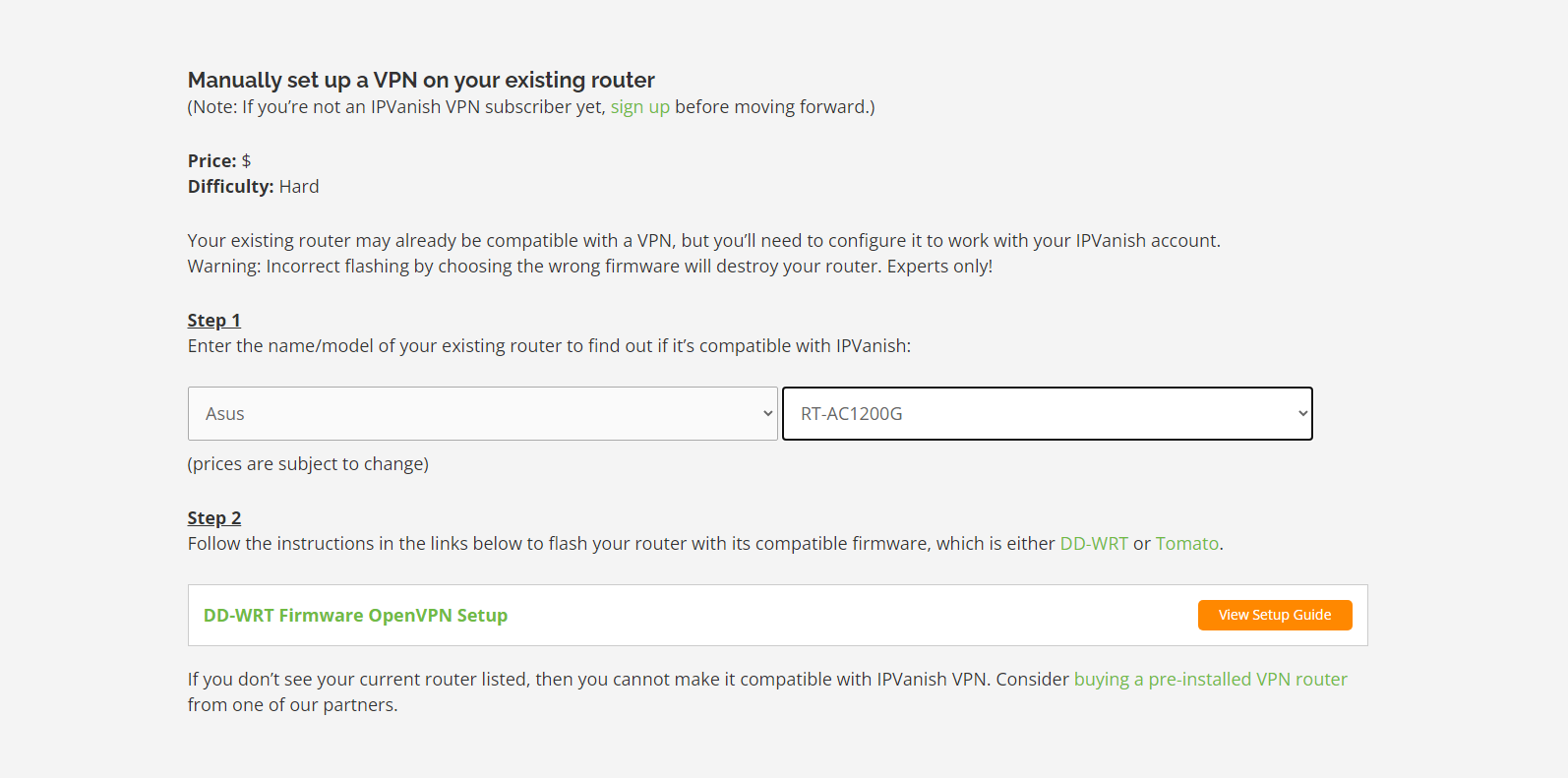
This tells you if your router is compatible with IPVanish, along with all the possible setup methods and accompanying guides.
We found IPVanish’s website easy to use and navigate.
This is so much better than other VPN provider websites, which are often difficult to navigate and lack the necessary setup information.
The detail in the setup guides was outstanding, with many helpful screenshots, step-by-step instructions, and troubleshooting options.
We quickly configured IPVanish’s WireGuard protocol on our Linksys WRT3200ACM router without any issues.
Fast Speeds & Much Improved Unblocking Results
Once installed, IPVanish immediately encrypted our internet traffic leaving our connected devices.
Throughout our tests, our connection only dipped by 12% on nearby servers.
While this is slower than ExpressVPN and NordVPN, the margins are really narrow and most people wouldn’t be able to tell the difference.
Over longer distances, our download speed slowed down by 12%. Clearly, IPVanish lagged behind NordVPN and ExpressVPN more noticeably here.
Something that’s very apparent with IPVanish is how much effort they’ve put into fixing their historical streaming-related problems.
In the past, the service couldn’t access several popular content platforms. Now, it’s one of the most reliable at beating geo-blocks on Disney+, HBO Max, Hulu, and Prime Video.
Streaming access has improved noticeably outside of the US, too, especially in the UK.
Router configuration files available to free users
Private logging policy & secure jurisdiction
Doesn’t support a dedicated router app
Restricted to 10 VPN server locations
Setup took us multiple attempts
Blocks all torrenting activity
Can't unblock any streaming platforms
Data Cap
Unlimited
Countries with Servers
10
Servers
2,000
Logging Policy
No Logs
Support
Email & Online Resources Only
Compatible with
Windows
Mac
iOS
Android
Linux
Amazon Fire TV
Android TV
Apple TV
Router
Chrome
Proton VPN is the only VPN service to support router configuration on its free subscription without imposing a bandwidth limit.
The free VPN software is compatible with several router models and firmware, including Asus, Linksys, FreshTomato, and Vilfo.
During our tests, we were able to install ProtonVPN’s free configuration file on our Linksys WRT3200ACM router, although it took several tries to work.
It was a frustrating and often confusing process, which wasn’t accounted for in any of Proton VPN’s setup guides.
Setting up Proton VPN’s free software on our test router.
Unlimited Data Policy but Important Limitations
Unlike most free VPNs, Proton VPN doesn’t cap your data usage. In other words, it’s the only free VPN to support router installation and unlimited data usage.
Proton VPN is also one of the few free VPNs we trust, thanks to its excellent logging policy, high security standards, and trustworthy company background.
But the VPN is hampered by significant product restrictions: you can’t torrent or unblock streaming services on any free server. These restrictions apply to any device connected to your router.
You’re also limited to servers in just 10 countries, which you can’t select manually: the VPN will simply connect you to the fastest free server available.
We can’t lie; these limitations turned out to be incredibly frustrating throughout our testing.
If you’re serious about using a VPN with your router, and for a prolonged period of time, we strongly recommend choosing a paid service.
But with a VPN running at router level, you can cover all of your connected devices, even those that don’t support VPN software.
Your VPN automatically encrypts the traffic of every device that connects to your router. This also means that your real IP address will be hidden on all devices, as long as you connect to the internet via your router.
This protection also extends to Internet of Things (IoT) devices such as doorbell cameras, Amazon Echo, and smart home appliances.
3. Bypasses Device Policies
Many VPN services limit the number of devices that can run the VPN at the same time. This is to encourage users to upgrade to a more expensive package, or buy a second subscription.
The user experience of using a VPN on your router can vary by method of VPN setup and the complexity of the VPN service’s interface.
Quick Guide: How to Set Up a VPN on a Router
Get a router VPN with a dedicated VPN app. This is the easiest method to install a VPN app onto your router.
Buy a pre-flashed router. You can purchase a router with VPN software pre-installed from a third-party service. This skips setup altogether but can be expensive.
Manually install VPN software. You can manually configure your VPN’s software on your router, but this can be a lengthy process that risks damaging the router.
You can find the full instructions in our VPN router setup guide.
In general, a VPN at router level functions in the same way as a basic VPN app on desktop or mobile. This includes being able to spoof your geo-location, encrypt your internet traffic, and connect to a secure remote VPN server.
You can use a VPN on your router to:
Circumvent simultaneous connection limits.
Unblock geo-restricted content in a specific location.
Create a Double VPN (multi-hop) connection.
Protect all of your devices 24/7.
How We Test VPNs for Routers
We’ve developed an in-house methodology for testing router VPNs, covering several key parameters.
Primarily, we evaluate how easy it is to install and use the VPN on a WiFi router.
We also factor in a VPN’s overall performance, including the speed and security of its connections, size of its server network, and access to geo-restricted streaming platforms.
Use the table below to see how each of our chosen router VPNs performed in our key testing categories:
Below is a more detailed breakdown of each of the areas we rate a router VPN on.
1. Router Compatibility (25%)
Minimum Requirement: A browser-based user interface with basic VPN functionality.
We Recommend: An easy-to-use, dedicated app for routers with multiple advanced features.
As a bare minimum, you should be able to access an interface to connect and disconnect your VPN connection. It should integrate seamlessly into your router settings and be easy to use.
For the best router VPNs, we expect an app specifically designed for routers. Whether that’s through a third-party, like FlashRouters, or through the VPN’s own software.
The app should be fully featured with options to change VPN servers, enable a VPN kill switch, and configure split tunneling.
We also reward router apps that are easy to use. Ideally, the user experience and graphical interface should be identical to that of a desktop or mobile app.
2. Privacy (15%)
Minimum Requirement: Any connection logs must be anonymized.
We Recommend: Strict no-logs logging policy.
We only endorse VPNs that safeguard your online privacy and provide you with strong anonymity.
We carefully examine every service’s privacy policy to understand exactly what data it gathers, the reasons for collecting it, and how long it’s retained for.
We also look for policies that are transparent, thorough, and written in clear, accessible language.
A VPN should never log personally-identifiable activity data, such as your IP address or your web history.
The most privacy-focused VPNs enforce a strict no-logs policy. We place greater value on policies confirmed by independent third-party audits, or proven through real-world scenarios (e.g. server seizures or court cases).
3. Security (15%)
Minimum Requirement: AES-128 or equivalent encryption.
We Recommend: AES-256 or ChaCha encryption.
Without sufficient encryption, your VPN router would function in the exact same way as a standard router or Smart DNS service.
Your VPN should use AES-256, ChaCha20, or equivalent ciphers to encrypt the traffic of all devices connected to your router.
This protection extends to devices that can’t support native VPN software such as game consoles, Smart TVs, and IoT devices.
4. Speed (15%)
Minimum Requirement: An average download speed loss of less than 20% on all connected devices.
We Recommend: An average download speed loss of less than 10% on all devices connected to the router.
A VPN service installed at router-level affects the download speed of every connected device.
Therefore, it’s essential you use a VPN service with the necessary infrastructure and performance to provide fast connection speeds and accommodate multiple devices.
A poorly-built VPN won’t be able to handle the demand of multiple devices which can impact your connection speeds.
5. Server Locations (10%)
Minimum Requirement: Multiple servers in your local region and neighboring ones.
We Recommend: Full access to the VPN’s server network.
We reward VPN services that make their entire server network compatible with router software.
Widespread server coverage ensures that you’ll always have a server nearby to connect to. This guarantees the fastest possible connection speeds by mitigating any speed loss caused by distance.
Having a greater number of server locations also increases your options for unblocking geo-restricted content. For example, having access to a single VPN server in the US means you can, in theory, unblock US Netflix, HBO Max, and Hulu.
6. Streaming (10%)
Minimum Requirement: Unblocks several Netflix libraries and Disney+.
We Recommend: Reliably unblocks US Netflix, your local Netflix library, Disney+, BBC iPlayer, and HBO Max.
Every device connected to your router is assigned the IP address and geo-location of your VPN’s server.
This means any streaming service your router-level VPN can unblock is also accessible by your connected devices, too.
The very best VPNs for routers can unblock multiple Netflix libraries (including US Netflix), HBO Max, Hulu, Amazon Prime Video, and more.
We also take into account how consistently a VPN can unblock a specific streaming platform over time to assess its reliability.
Lastly, we consider the time taken to load the video content and its overall picture quality.
7. Ease of Manual Setup (10%)
Minimum Requirement: Easy to understand instructions for popular router models.
We Recommend: Detailed installation guides for multiple router models as well as support for alternate setup methods.
VPN router setup can be a long and difficult process that can risk breaking your router if performed incorrectly.
We look for VPN services that provide well-written and easy to understand installation guides for a variety of router brands. The best VPNs go a step further and write instructions tailored to specific router models for each brand.
We also factor in the quality and availability of a VPN’s customer support as part of our setup difficulty rating.
The top-rated router VPNs provide multiple channels of support to assist every step of the setup process.
FAQs
What Is a Router VPN?
A router VPN is a VPN that you can set up on a router, through either manual installation or by buying a router with VPN software already configured on it.
What Is a VPN Router & How Does It Work?
A VPN router is a WiFi router that supports VPN software. Once the VPN is configured onto it, it encrypts the internet traffic leaving every device connected to the router, without per-device VPN setup needed.
Can I Set up a VPN on Any Router?
No, not all routers support VPN software. Pretty much all routers provided by Internet Service Providers (ISPs) can’t run a VPN.
We’ve created a table listing all compatible router models and firmware.
Can I Change Server Locations Easily on a Router?
Yes, as long as your VPN router has a web app. You’ll want one like ExpressVPN’s Aircove or the Privacy Hero 2.
If there’s no web app, then changing server locations will be much more tedious. You’ll have to install a new configuration file every time you want to change VPN location.