
Top10VPN is editorially independent. Buying a VPN through our links supports our work.
How to Get a CyberGhost Free Trial
Simon Migliano
Simon Migliano is a recognized world expert in VPNs. He's tested hundreds of apps and his research has been featured on the BBC, The New York Times, and more. Read full bio
CyberGhost offers a 24-hour free trial on PC and Mac, with no payment details required. It also runs a 3-day free trial on Android and a 7-day free trial on iOS. Or, you can try CyberGhost risk-free for 45 days through its generous money-back guarantee.
CyberGhost has offered the best VPN free trial for some time now. It’s completely free, available for both PC and Mac users, and doesn’t require any payment details whatsoever.
Quick Guide: How to Get a 24-hour CyberGhost Free Trial
Download and install the 24-hour free trial from CyberGhost’s official website. It’s only available for PC and Mac users.
Open the application and create an account. You do not have to submit any payment details. CyberGhost will then email you.
Open the email and click the Activate Free Trial button to start your 24-hour free trial.
Why Trust Us?
We’re fully independent and have been reviewing VPNs since 2016. Our advice is based on our own testing results and is unaffected by financial incentives. Learn who we are and how we test VPNs.
There’s also a 7-day free trial on iOS and a 3-day one on Android. Once you’ve signed up, you can use your CyberGhost free trial account on any device.
CyberGhost also runs a generous 45-day money-back guarantee. As long as you request your money back within the refund window, you can use the VPN for free for a further 45 days.
Finally, you also have the option of using CyberGhost’s free Chrome extension. While you only get access to server locations in a few countries, the US server continues to unblock American Netflix.
How to Use CyberGhost for Free
The best way to use CyberGhost depends on three key factors: your device, whether you’re ok providing payment details, and what you want to use the VPN for.
The table below compares the options available:
Table comparing four ways to use CyberGhost for free.
Below you’ll find steps for every available method. You can choose the one that suits you best, or even combine certain options.
Desktop: 24-hour Free Trial
CyberGhost’s free trial for desktop devices lasts exactly 24 hours from sign up. All you need is an email address to access it — make sure you use a real one as you’ll have to verify it.
To get your 24-hour CyberGhost free trial, follow these step-by-step instructions on your PC or Mac:
1. Download CyberGhost via the Free Trial Page
Go to the free trial page on CyberGhost’s website. Click the Start Free Trial button and the VPN software will download to your device.
2. Create a Free Trial Account
Follow the installer prompts, open the app, and create a new account with an email and password. You’ll need to select Sign up when the app opens.
3. Activate Your Free Trial
CyberGhost will send you an email with an activation link. Go to your inbox and click the link to activate your account. If you can’t find it, check your spam folder or ask CyberGhost to resend it.
4. Login & Start Using CyberGhost for Free
Return to the CyberGhost app and log in with your credentials. You now have unrestricted access to the full premium VPN. The countdown in the top right-hand corner will show you how long you have before the trial expires.
Android: 3-day Free Trial
Follow the instructions below to get a 3-day CyberGhost free trial via the Google Play Store.
Though you won’t be charged, you’ll need an active payment method linked to your Google account to do this.
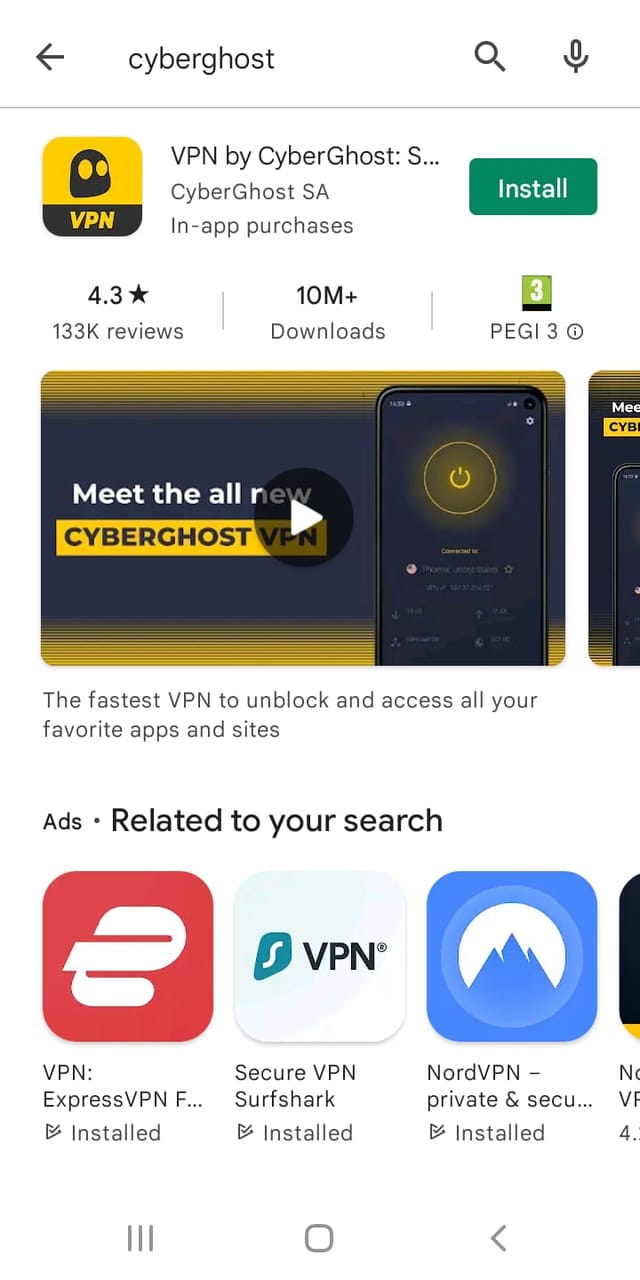
1. Install CyberGhost via Google Play
Head to the CyberGhost Google Play listing and select Install. When it finishes installing on your Android device, open the app and either agree or opt out of submitting anonymous usage data.
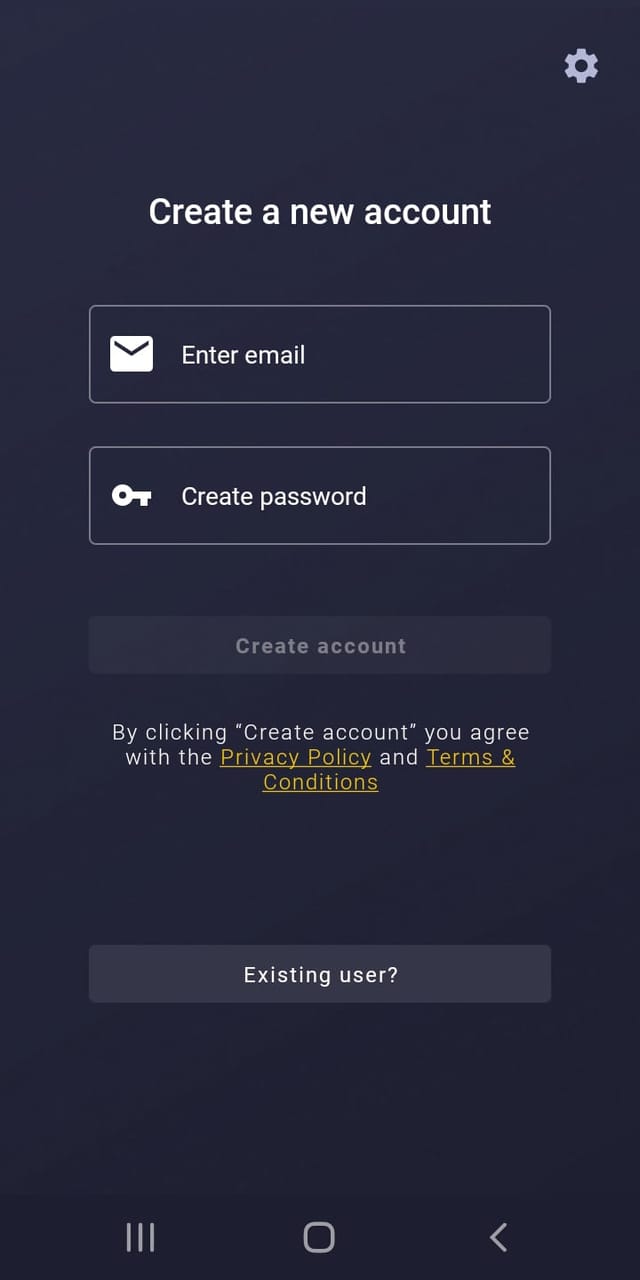
2. Create a CyberGhost Account
Create a CyberGhost account by entering an email and a strong password.
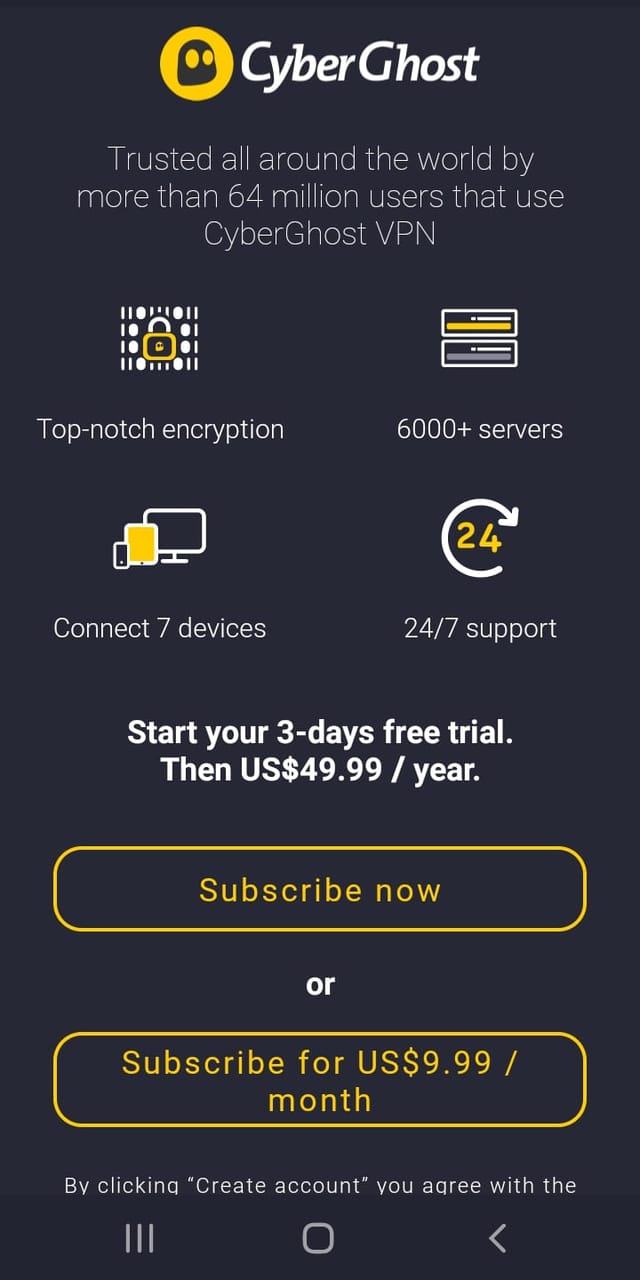
3. Select Subscribe Now
You’ll now see a sign-up screen with two options: Subscribe now and Subscribe for $9.99/month.
Be careful: you only get the free trial by selecting Subscribe now. This is the annual pricing plan, but don’t worry; as long as you cancel the subscription within 72 hours of signing up, you won’t be charged the subscription fee.
Enter your payment details and you’re all done. You can now use CyberGhost free for three days.
If you forget to cancel before the end of the trial period, you’ll be upgraded to a 12-month plan. If that happens, ask CyberGhost’s live chat support for a full refund but do this within 45 days.
iOS: 7-day Free Trial
Getting the CyberGhost free trial on iOS works differently, as we explain below.
1. Install CyberGhost via the App Store
Open the App Store and search for CyberGhost, then tap on its listing. Don’t tap the Install button – instead, scroll down the section of the listing labeled Subscriptions.
There will be a 1-Month Plan option there – tap the FREE TRIAL button underneath it.
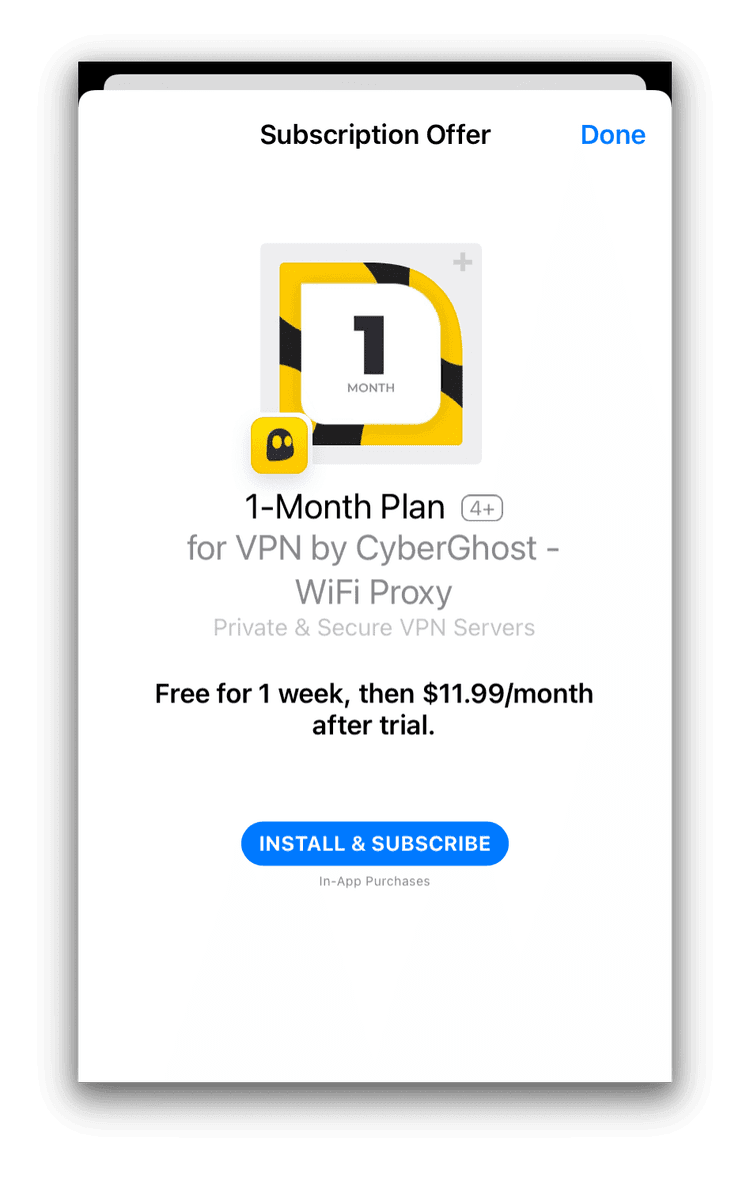
2. Subscribe to CyberGhost
On the next screen that pops up, tap INSTALL & SUBSCRIBE.
You’re now all ready to use CyberGhost on your iPhone or iPad.
Just like with the Android version, as long as you cancel the subscription before the end of the 7-day trial period then your Apple ID won’t be charged. If you don’t, you’ll be automatically enrolled in a 1-month subscription.
EXPERT ADVICE: Getting a refund for CyberGhost on iOS works differently. As the subscription is an in-app purchase, you have to request a refund through Apple Support. Beware that Apple’s support team may not be as understanding and cooperative as CyberGhost’s.
Browser Extension: Free Forever
You can install CyberGhost as a browser extension completely free on both Chrome and Firefox browsers.
There are many restrictions, including 96 fewer countries compared to the full VPN, a dated design, and no additional features. But it still offers a free way to change your IP address, and it even unblocks US Netflix.
1. Add CyberGhost to Your Browser
Open your Google Chrome browser and head to CyberGhost’s page for Chrome. Click Add CyberGhost to Chrome. Alternatively, you can do this via the Chrome Web Store, clicking Add to Chrome.
If you’re using Firefox, head to Firefox Add-ons, search CyberGhost, and click Add to Firefox.
2. Head to Extensions & Begin Using CyberGhost for Free
The extension will be automatically added to your browser. Click the extensions symbol, select CyberGhost, and pin it to your browser if you prefer. You can now connect to four countries — the US, Germany, the Netherlands, and Romania —completely free.
CyberGhost’s Free Chrome Extension unblocks multiple US streaming services, like US Netflix and Disney+.
However, you should bear in mind that this is not an encrypted VPN app and that it only works to get you another IP address. Our tests also discovered that it leaks your IP address, so never use it for security or privacy reasons.
How to Cancel Your CyberGhost Free Trial
With CyberGhost’s 24-hour free trial on Windows and macOS, you don’t need to do anything to cancel it. When the trial expires, you’ll be presented with this screen:
Canceling your free trial on mobile devices requires some additional steps, though.
How to Cancel a CyberGhost Free Trial on Android
If you’ve signed up for a free trial on Android, you’ll need to manually cancel the trial period to avoid being charged. Here’s how to do it:
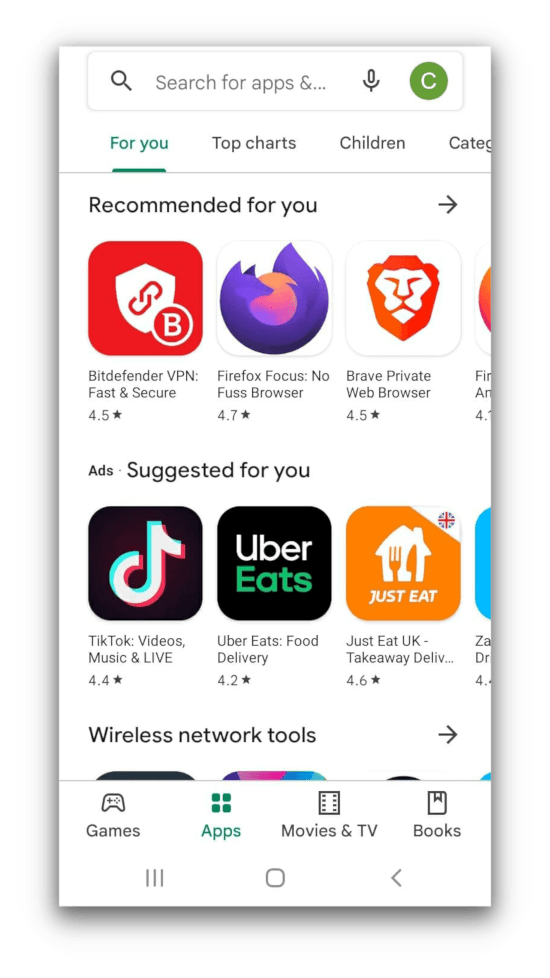
Open the Google Play app.
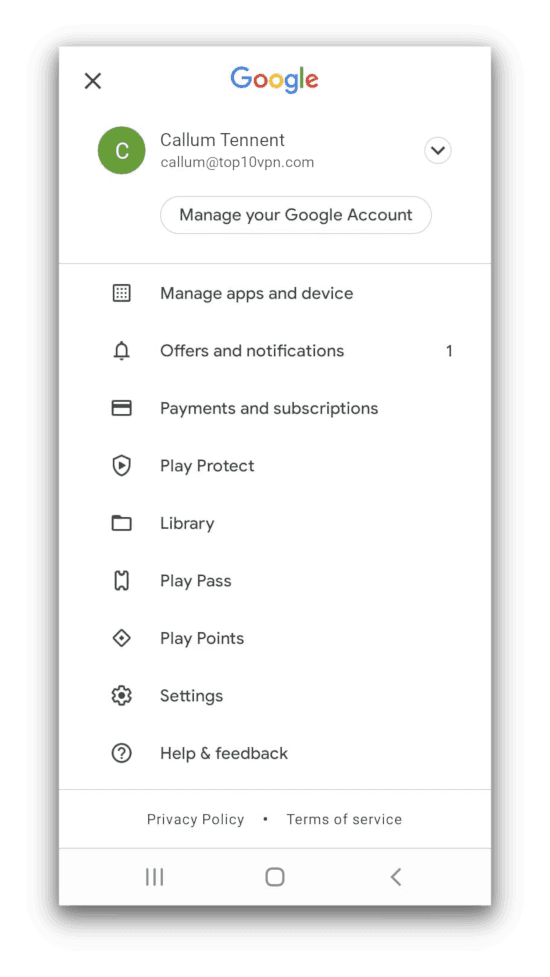
Tap on your profile picture in the top right-hand corner.
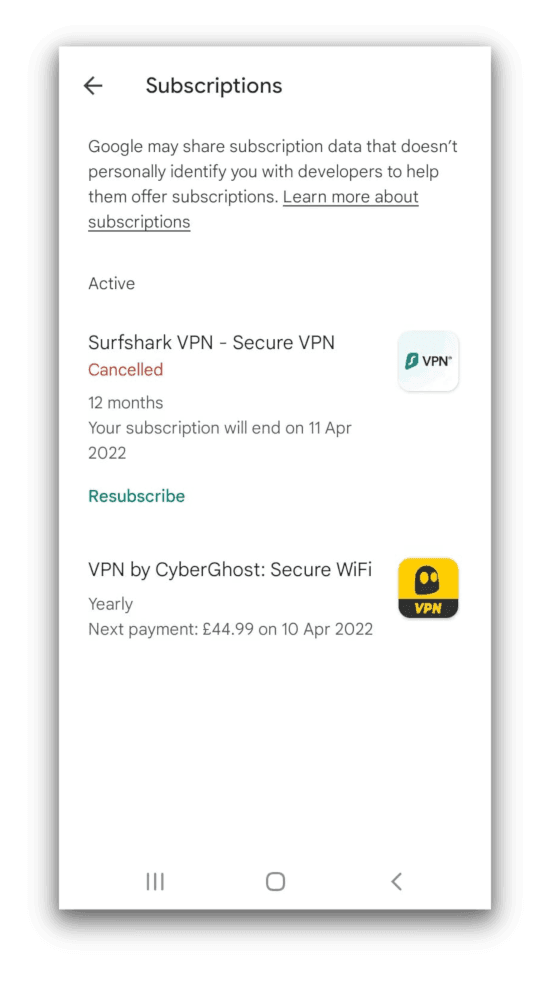
Tap Payments and Subscriptions then Subscriptions.
Tap on CyberGhost then Cancel Trial.
How to Cancel a CyberGhost Free Trial on iOS
If you’re using an iOS device, you’ll need to cancel your free trial manually to avoid being billed. Here’s how to do it:
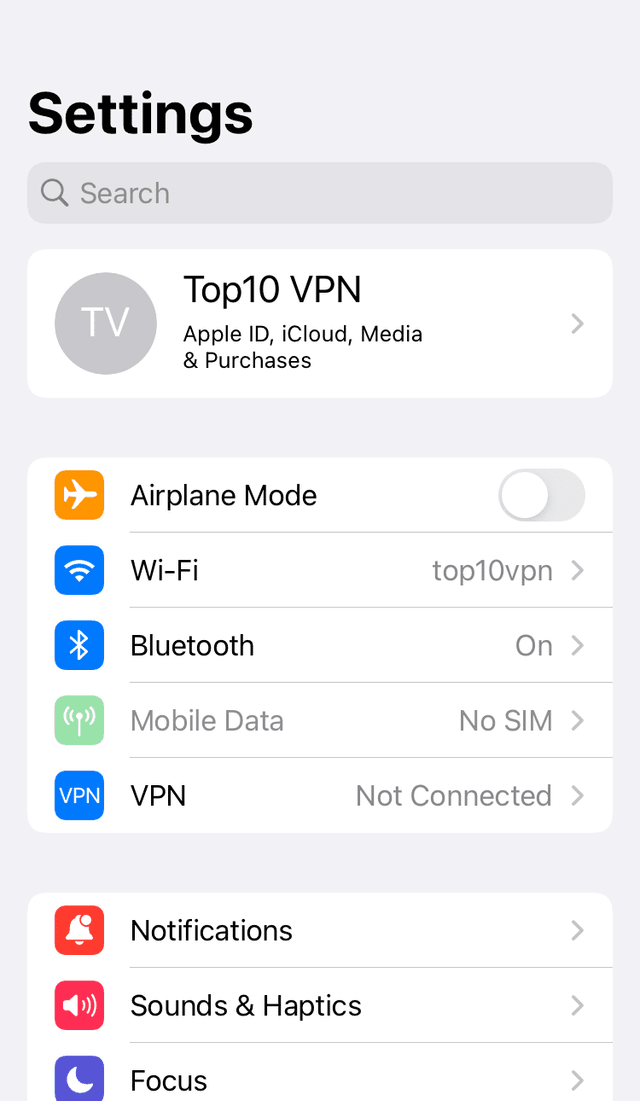
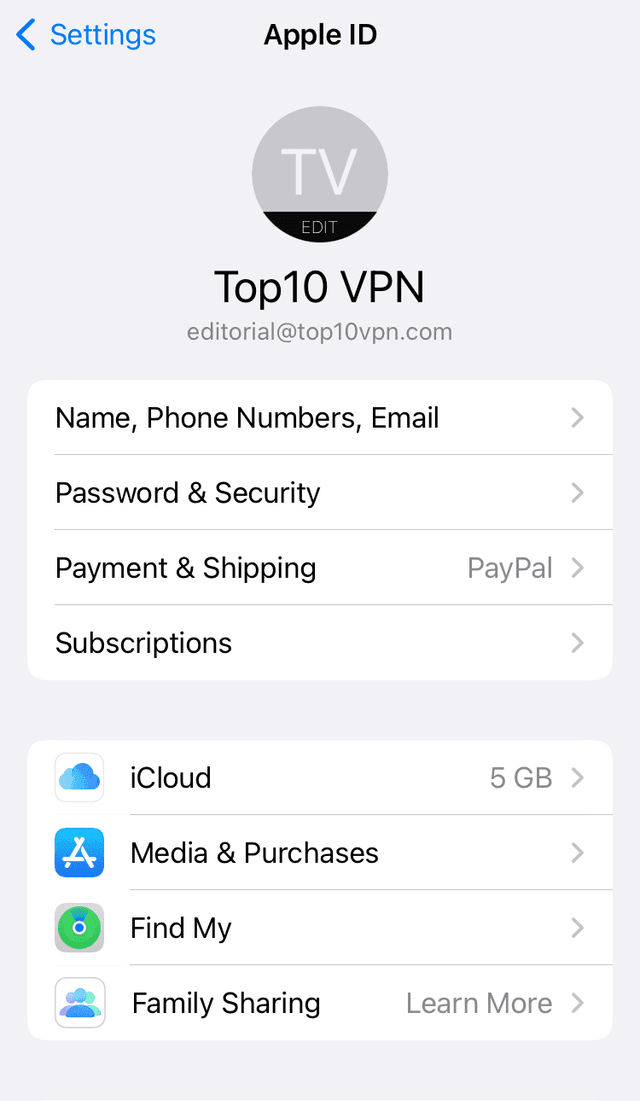
Open the Settings app and tap on your name at the top of the screen.
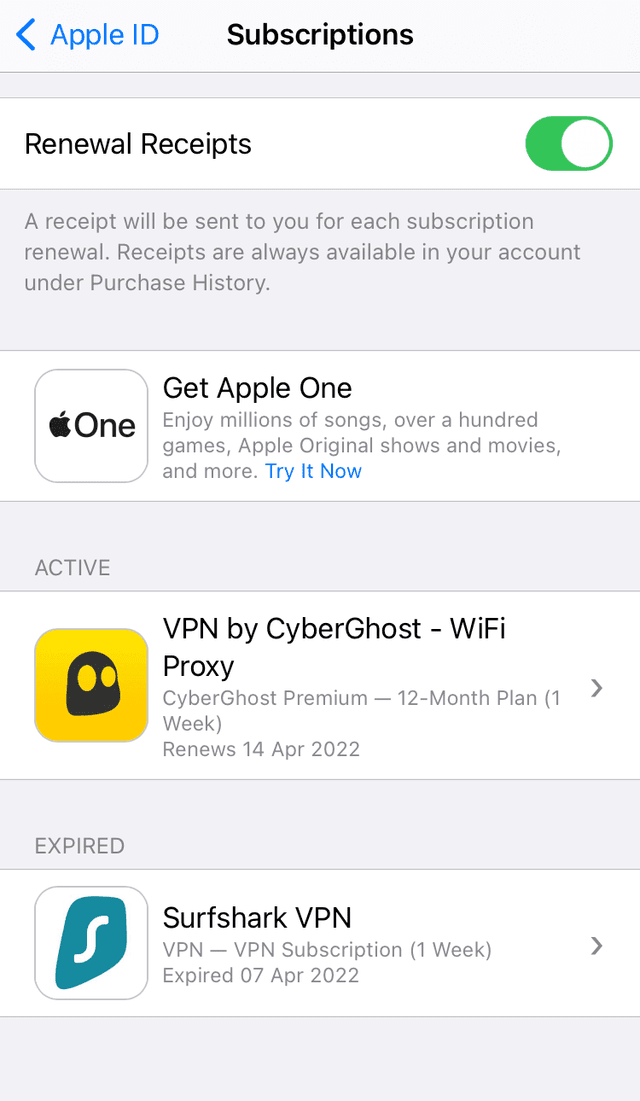
Tap Subscriptions.
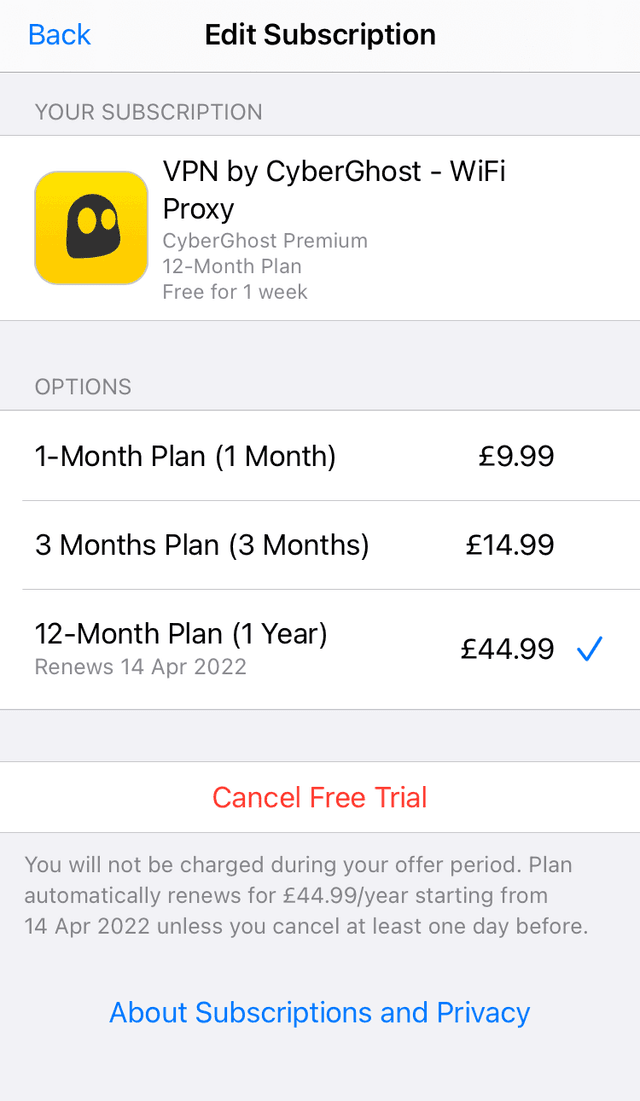
Find CyberGhost and tap on it.
Tap Cancel Free Trial.
As long as you do this before the end of your trial period you will not be charged.
CyberGhost's Free Trial vs Money-Back Guarantee
CyberGhost is not totally free indefinitely and the longest you can trail it without paying is 7 days (or 8 days if you combine its iOS and desktop free trial options).
However, you can use CyberGhost for free for much longer by signing up to the service and asking for your money back within 45 days (14 days on the one-month plan). CyberGhost operates a refund policy guarantee, so it’s completely risk-free.
This is also the longest refund guarantee available on the VPN market, as most services restrict their refund guarantees to 30 days.
To get your refund you just have to contact CyberGhost’s customer support agents and ask them to refund you. They may ask you why you’d like to cancel, but you can tell them anything – you don’t need a specific reason to get your money back. We’ve never experienced issues getting a refund.
It’s easy to contact CyberGhost support and get a refund.
CyberGhost is a great value VPN, even without considering its free trial. At its cheapest, CyberGhost costs $1.75/mo over 26 months.
Like with all VPNs that offer them, CyberGhost’s multi-year pricing plan offers the best value. If you opt for month-to-month rolling subscription plan, you’ll pay $12.99 each month.
Does the CyberGhost Free Trial Require Card Details?
CyberGhost’s desktop free trial doesn’t require you to submit any credit card details: all you need to provide is a valid email address.
The mobile free trials do require a payment method linked to either your Apple or Google account.
Will I Be Charged Once the CyberGhost Free Trial Ends?
If you’re using CyberGhost on desktop, you will not be charged anything once the free trial ends. This is because you did not enter any payment details when first signing up for the free trial.
At the end of the Android and iOS free trial, you will automatically be enrolled in a one-month paid subscription.
If you forget to cancel the trial before it ends, don’t worry. The money-back guarantee kicks in at this stage, and you can easily get a refund by speaking to a live support agent.