



Top10VPN is editorially independent. We may earn commissions if you buy a VPN via our links.
How to Watch Sky Go Abroad with the Best VPNs
Simon Migliano
Simon Migliano is a recognized world expert in VPNs. He's tested hundreds of apps and his research has been featured on the BBC, The New York Times, and more. Read full bio
The easiest way to watch Sky Go from abroad is to use a VPN and get a UK (or Irish) IP address. The best VPN for doing this is ExpressVPN, which unblocked Sky Go on all its user-friendly apps and exceptionally fast UK and Irish servers. Surfshark bypasses Sky Go’s GPS blocks on Android, while PrivadoVPN is a good free option but with limited streaming time each month.
Sky Go is available to all Sky TV subscribers in the UK and Ireland, but the app is geo-locked to these two countries and you can’t normally access it from abroad.
To fix this, you can use a VPN to connect to a UK or Ireland server location. This replaces your foreign IP address with a UK or Irish one, making you appear “at home.”
Sky Go detects and blocks many VPN IPs, though, so you need to choose a service equipped for streaming. Only a handful are, and even fewer met our high standards.
Summary: The Best VPNs for Sky Go
After testing 60 VPNs with Sky Go, these four impressed us the most:
We’re fully independent and have been reviewing VPNs since 2016. Our ratings are based on our own testing results and are unaffected by financial incentives. Learn who we are and how we test VPNs.
VPNs Tested
60
Total Hours of Testing
30,000+
Combined Years of Experience
50+
Thanks to the VPNs we recommend in this guide you’ll be able to easily access Sky Sports, Sky Atlantic, and all other geo-restricted channels on Sky from outside the UK.
🔄 Recent Updates
We’ve included PrivadoVPN as our top-rated free VPN for watching Sky Go from abroad. We’ve also added more information on Sky Go’s GPS restrictions on mobile, and how to beat them.
VPN Comparison Table
Out of the 60 VPNs we personally tested with Sky Go, only 20% worked with the service and even fewer did so consistently.
You can use the table below to compare the three best-performing premium VPNs alongside the only free (safe) VPN that worked with Sky Go:
ExpressVPN is the only VPN that consistently bypassed Sky Go’s strict geo-blocks for both live and on demand content.
We never encountered any error codes while connected to its exceptionally fast UK servers, with excellent video quality throughout our sessions.
ExpressVPN’s apps are the best designed in the industry, with a clean UI to find locations and change IP address in a matter of seconds.
Our only criticism is that ExpressVPN is more expensive than Surfshark on multi-year subscriptions, and it lacks a built-in GPS location changer on Android.
We streamed Sky Sports F1 with ExpressVPN on all of its UK servers.
Unblocks Sky Go from Any Location
We used ExpressVPN to stream Sky Go from countries like the US, Spain, or Greece, and never experienced any issues.
At every attempt, the Sky Go app loaded without delay or interruptions, and allowed us to stream live content or watch on-demand films and TV series.
We found that ExpressVPN’s Ireland servers were equally effective at unblocking Sky Go, but that our connection was more stable on its UK servers.
That said, we didn’t experience any buffering or deterioration in video quality while using any of ExpressVPN’s servers.
This was much better than our experience with Mullvad, which took almost a minute to load a live Premier League game.
Compatible with All Sky Go Apps
ExpressVPN offers its customers the most user-friendly apps for desktop, smartphones, tablets, and even Apple TV.
They’re all very easy to install, but we still suggest setting them up on your device before you travel, as the country you’re visiting may block VPN downloads (e.g. China).
What really sets ExpressVPN apart is how easy it is to use across all Sky Go-compatible devices, including game consoles and Smart TVs.
For example, we used MediaStreamer to watch Sky Go on our Xbox Series X while visiting a friend abroad.
Unlike most Smart DNS proxies, MediaStreamer is included with ExpressVPN’s subscription, and it unblocks Sky Go without issue.
If you’ll be staying in a house, with access to the router, then ExpressVPN’s own VPN router with dedicated app will come in very handy to use your Sky Stream puck outside the UK.
The only pain point was using ExpressVPN to fake our GPS location on Android: we had to install a third-party GPS spoofing app and get that to match ExpressVPN’s UK server location.
While it wasn’t too complicated, we found it much easier using Surfshark’s built-in GPS spoofer.
Fast Download Speeds for HD Streaming
We conducted several speed tests while connected to an ExpressVPN UK server and recorded an average speed loss of 7%.
This is more than fast enough to fulfill Sky Go’s minimum broadband requirement of 2Mbps, regardless of where you’re located.
To contextualize this, we’ve compared ExpressVPN’s UK speeds to some of the leading VPNs on the market:
As you can clearly see in the chart above, ExpressVPN is faster than all its competitors specifically when connecting into the UK from abroad.
Such outstanding streaming speeds resulted in a crisp picture while watching live sporting events like Premier League matches, F1 races, and the PGA Tour.
This consistency carried over to other British platforms as well; we found the same flawless streaming quality using the VPN with BBC iPlayer, ITVX, and Channel 4.
7-day free trial accessible through desktop & mobile
Not as consistent as ExpressVPN
Higher long-distance speed loss
Noticeably slower to connect on mobile
Pricing Plans
$15.45/mo
$2.98/mo over 15 months
$1.78/mo over 27 months
Money-Back Guarantee
30 Days
UK Servers
440
UK Server Locations
Edinburgh, Glasgow, London, Manchester
Support
24/7 Live Chat
Simultaneous Connections
Unlimited
Compatible with
Windows
Mac
iOS
Android
Linux
Amazon Fire TV
Android TV
Apple TV
Router
Chrome
Surfshark also works well with Sky Go, and in our testing it streamed in maximum quality most of the time, especially from Europe.
But, to be completely upfront about it, Surfshark isn’t as dependable as ExpressVPN. Not every UK server unblocked Sky Go, and connecting through a smartphone proved sluggish at times.
Where Surfshark does pull ahead is on Android smartphones and tablets, thanks to its ability to bypass Sky Go’s GPS geo-blocks.
If you’re somewhere close to the UK, Surfshark is a strong contender. However, if you’re on the other side of the world and want smooth streaming on desktop or on your TV, ExpressVPN is the better choice.
Watching Monday Night Football from abroad using Surfshark.
Spoofs GPS Data on Android
Sky Go’s mobile apps use both your IP address and your GPS coordinates to figure out where you are.
On iPhone and iPad, there’s nothing you can do to get around this, but on Android handheld devices there is.
Usually, you’d have to use your VPN alongside a third-party “mock GPS” app, but Surfshark comes with GPS spoofing already built into it.
Its Override GPS location setting allows you to sync your device’s GPS and IP location, tricking Sky Go to think you’re in the UK or in Ireland.
Setting up Surfshark’s ‘Override GPS location’ setting.
Setup requires a few steps, which we’ve explained below, but we eventually got around Sky’s GPS restrictions.
Not having to install a second GPS spoofing app was also very convenient.
That’s because the free trial is available directly through the App Store, Google Play, or Surfshark’s website, with no workarounds needed to get it working on desktop.
ExpressVPN’s trial, by contrast, requires signing up through mobile first before being able to use it on other devices.
If you want to properly test a VPN with Sky Go before committing to a subscription, Surfshark makes that significantly easier.
The free trial isn’t available on month-to-month plans, though, so remember to cancel to avoid being charged.
Fast Enough but Distance Matters
Connecting to UK servers from nearby countries, Surfshark is as quick as most top-tier VPNs. Our download speed slowed down by a negligible 12%, which you won’t even notice.
That said, things change the further you are from the UK. From countries like Australia, Thailand, or the US, our average speed loss was 17% and therefore worse than ExpressVPN’s 15% slowdown.
Regardless of distance, connections were generally stable with very little fluctuation even during popular live events on Sky Sports.
One thing worth highlighting is that connecting to servers on mobile was rather slow compared to ExpressVPN. Not massively, but enough for us to notice it.
Mullvad is a good VPN for watching Sky Go on vacation, as its monthly plan costs just $5.50 per month with no extra fees.
What really surprised us was Mullvad’s high success rate at unblocking Sky Go. The VPN never performs well in our streaming tests; however its London server in particular almost always worked with Sky’s app.
That being said, Mullvad is considerably slower and far less versatile than ExpressVPN.
We watched World Tour golf on Sky Go by connecting to Mullvad’s London server.
Great for Short-term Streaming Abroad
Due to its low monthly price, Mullvad is a great choice of VPN when you only need to access Sky Go for a short period of time, for instance to stream a live Premier League game or F1 race.
Its monthly pricing plan is one of the cheapest available at $5.50, and we also discovered that you can get a further 10% off by using cryptocurrency.
To put it in perspective, Mullvad is 50% cheaper than both ExpressVPN and NordVPN’s monthly subscriptions.
Unblocks Sky Go on Desktop & Mobile Only
While we had no issues watching Sky Go on Mullvad’s UK and Ireland servers, we found its London and Glasgow server locations to be the most consistent.
Mullvad’s UK server locations in the mobile app.
Unfortunately, Mullvad’s limited device compatibility can be frustrating; it doesn’t offer apps for Apple TV or routers, nor does it provide a Smart DNS proxy.
If you need a VPN that works with a wider range of devices, ExpressVPN is the right choice for you.
The vast majority of free VPNs we tested were unable to circumvent Sky Go’s VPN blocks, or simply lacked the necessary servers in the UK or Ireland to do so.
One of the few exceptions was PrivadoVPN’s free service, which unblocked Sky Go comfortably on its UK servers.
PrivadoVPN is a trustworthy and secure free VPN that consistently unblocked Sky Go via its free UK server.
You won’t need to submit any payment details, but you’ll have to register to the service with your email address.
We successfully watched Sky Go using the VPN on desktop, and on Android thanks to its built-in GPS spoofing feature.
While we had a good overall experience, the 10GB monthly data cap did cut our enjoyment short after roughly four hours of HD streaming.
PrivadoVPN’s Android app comes with a GPS spoofing setting.
Beats Sky Go's IP & GPS Restrictions
PrivadoVPN has become our chosen free VPN to stream Sky Go from abroad for three reasons.
Firstly, its free UK server located in London successfully bypassed Sky’s geo-restrictions on every attempt.
Each British server connected quickly, and remained connected without unexpected drops.
Secondly, the VPN’s Android app has a built-in GPS spoofer (similar to Surfshark’s) that allows you to use the Sky Go mobile app on your smartphone or tablet.
And finally, we were very pleased with PrivadoVPN’s speeds on its free servers in the UK: only 11% slowdown connecting from countries like Australia, France, and the US.
10GB Data Cap Limits Streaming Time
Like most safe free VPNs, PrivadoVPN also restricts free bandwidth to 10GB a month.
It’s better than nothing, but it only gives you around four hours of HD streaming time.
To bypass this restriction, we recommend downloading Sky content you want to watch before traveling as watching downloaded content doesn’t use any data.
If you want to stream live content on a regular basis, then we suggest using a VPN with unlimited data instead like ExpressVPN.
The most effective way to watch Sky Go from outside the UK is with a VPN, but the process varies based on the device you’re using.
For example, streaming Sky Go on your laptop is quick to set up whereas using the streaming service on game consoles requires creating a mobile hotspot.
We found it very straightforward to unblock Sky Go with ExpressVPN on a laptop.
Unlike most other streaming services, you can’t stream Sky Go via your web browser. Instead, you have to use Sky’s dedicated app for computers, smartphones and Apple TV. There are no apps for other devices, like Fire TV Stick, and AirPlay won’t work.
Follow our written step-by-step instructions below to unblock Sky Go on popular devices:
Desktop (Windows & macOS)
The easiest way to stream Sky Go from abroad is via your computer since the Sky Go desktop client is available for download in any country, unlike the mobile app.
How to Stream Sky Go on Desktop
Download and install a Sky-compatible VPN onto your PC or laptop. Our VPN of choice is ExpressVPN, whose Windows and macOS apps offer the best user experience.
Launch the VPN app and connect to a server in the UK or Ireland: This assigns you the necessary IP address to unblock Sky Go.
Activate the VPN’s Kill Switch. This prevents any unexpected leaks of your real IP address.
Launch the Sky Go app and start streaming.
Mobile (iPhone, iPad & Android)
Unblocking the Sky Go app on mobile is more complicated, especially if your app store isn’t registered in the UK. This is because the Sky Go app is exclusively available in UK app stores.
If your Apple App Store or Google Play Store account is registered in a different country, you’ll first need to change region to the UK to download and install the app.
The next hurdle you’ll face is that Sky Go needs to access your device’s Location Services. This means it needs your GPS data, on top of your IP address, to determine your location.
The bad news for iPhone and iPad users is that there’s no way around this since iOS blocks GPS spoofing at the system level.
However, Android allows you to fake your GPS coordinates. Our favorite way of doing it is to use Surfshark’s built-in GPS spoofing feature.
How to Stream Sky Go on Android
Download and install Surfshark: Surfshark beats Sky Go’s GPS restrictions on Android.
Enable the GPS Spoofing setting: Open the Surfshark app, tap Settings, and enable Override GPS location under Advanced settings. You will get a message asking you to enable developer options.
Enable Developer Options: To enable GPS spoofing, you’ll need to activate the hidden developer options on your device. Go to Settings > About Phone. Tap the ‘Build Number’ 7 times, and you will get a message informing you that you’re in developer mode.
Select Surfshark as a Mock Location App: Once you’ve enabled developer options, return to the Surfshark app and tap the arrow to proceed. Now tap Open Settings, followed by Select Mock Location App, then Surfshark.
Connect to a VPN server in the UK (or Ireland): Your GPS and IP location will now match.
Launch the Sky Go app and start streaming: If you get an error code (e.g. 50-2 or 1315), clear the Sky Go app’s cache within your phone’s Settings app and relaunch.
Apple TV
You can only watch Sky Go on Apple TV if you have a Sky Multiscreen or Whole Home subscription. If you’re unsure which subscription you have, log into MySky and select Your Products.
How to Stream Sky Go on Apple TV
Download and install the VPN from the tvOS App Store: ExpressVPN has an excellent Apple TV app that reliably unblocks Sky Go.
Launch the VPN and connect to a server in the UK or Ireland.
Open the Sky Go app and start streaming.
Game Consoles
Similarly to Apple TV, you can only stream Sky Go on games consoles if you have a Sky Multiscreen or Whole Home subscription.
Moreover, game consoles don’t support VPN apps, so you’ll need to share your VPN connection from a computer by creating a hotspot.
Enable your PC’s mobile hotspot: Go to Settings > Network & Internet > Mobile hotspot and toggle to On.
Make a note of your network name and password: If you want to change them, click Edit, make your changes, and click Save.
Locate your VPN’s TAP adapter: Navigate to Settings > Network & Internet > Status > Change Adapter Options. Right-click on your VPN’s TAP adapter and select Properties.
Edit your sharing settings: Click the Sharing tab and check the box that says “Allow other network users to connect through this computer’s internet connection.”
Select your hotspot: From the drop-down menu entitled Home networking connection: select Local Area Connection*.
Using the VPN app, connect to a server in the UK or Ireland: Your hotspot will automatically change to this location.
Connect your games console to your mobile hotspot network.
Xbox Series X: Go to Profile & System > Settings > General > Network Settings > Set up Wireless Network > and select your PC’s hotspot.
PS5: Go to Settings > Network > Settings > Set Up Internet Connection and select your hotspot.
Open Sky Go on your games console and begin streaming.
Smart TV
Sky Go doesn’t offer apps for Android TV or Fire TV Stick, and it doesn’t support AirPlay.
Unless you have Apple TV or a game console, you’ll have to fall back on an old-fashioned yet effective method that works 100% of the time: an HDMI cable.
Follow the computer instructions outlined above, then connect your laptop to your TV with an HDMI cable.
This will extend your computer’s screen in seconds without having to mess with any device settings.
How to Bypass Sky Go VPN Error Codes
Sky enforces some of the strictest geo-blocks we’ve encountered among streaming services around the world.
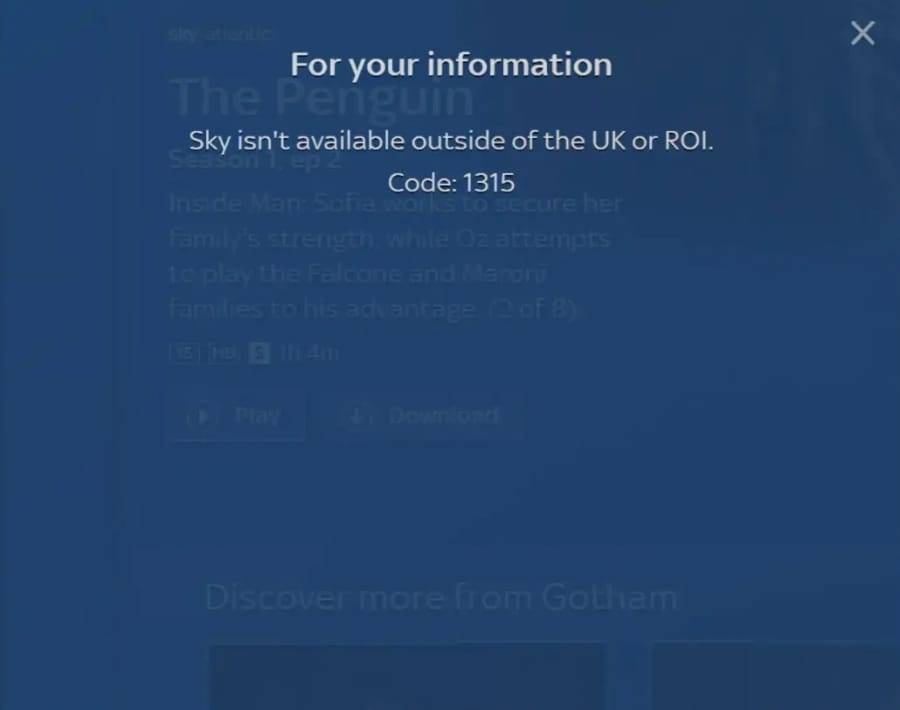
Sky Go displays a custom error code if you try to stream abroad.
Most VPNs we’ve tested triggered the ‘For your information’ Sky Go error messages. Even usually reliable VPNs, like the ones we recommend, may occasionally get blocked by the content platform and require some extra steps to get working again.
Below, we explain VPN-specific error codes alongside our thoroughly tested workarounds to get your VPN working again (assuming it actually works with Sky Go):
Code: 50-2
When Sky Go detects a VPN connection on an iOS device attempting to bypass its geographic restrictions, it will often display error code 50-2.
How to Fix on iOS
Close the Sky Go app.
Turn off Precise Location: In the Sky Go app’s settings, find Location and turn off Precise Location.
Clear Sky Go’s cache: Uninstall and then reinstall the app.
Enable airplane mode on your iPhone or iPad.
Disable airplane mode & connect to your WiFi network: You must connect to a WiFi network as Sky Go won’t work on mobile data.
Launch the Sky Go app and start streaming.
If the instructions above don’t work, then you’ll need to switch to a different UK or Ireland VPN server. If that also proves unsuccessful, then we recommend signing up to ExpressVPN.
Code: 1315/1415 “Sky isn’t available outside of the UK or ROI”
If you receive error code 1315 or 1415 then your VPN is either leaking your real IP address or its IPs have been blocked by Sky.
Before you begin troubleshooting, we suggest running a VPN leak test to determine whether your VPN is working properly or not.
If your VPN is leaking your IP then immediately switch to one of our recommended Sky Go VPNs, otherwise try our fixes below:
How to Fix on Mobile
Close the Sky Go app.
Clear Sky Go’s cache.
iOS: Uninstall the app, and then reinstall it.
Android: Go to Settings > Apps > Sky Go > Storage and cache > Clear cache.
Enable airplane mode on your device.
Disable airplane mode & connect to WiFi:It’s vital you connect to a WiFi network as Sky Go won’t work on mobile data, including 5G.
Change your time zone back to GMT or BST/IST.
iOS: Go to Settings > Calendar > Time Zone Override, and toggle it to On.
Android: Within the Clock app, tap on the three-dot menu in the top-right and then Settings > Home time zone and enable Automatic home clock.
Open Sky Go and begin streaming.
If Sky Go still isn’t working we’d suggest switching to ExpressVPN and connecting to its UK – Docklands server.
How to Fix on PC & Mac
Close the Sky Go app and your VPN.
Change your computer’s time zone to GMT or BST/IST.
Windows 11: Go to Start > Settings > Time & language > Date & time. Toggle off Set time zone automatically, then under Time zone select (UTC+00:00) Dublin, Edinburgh, Lisbon, London.
macOS Sequoia / Tahoe: Go to Apple Menu > System Settings > General > Date & Time and toggle off Set time zone automatically using your current location. Click Closest City and select London or Dublin.
Change your system language.
Windows 11: Go to Start > Settings > Time & language > Language & region. Under Preferred languages, click Add a language and add English (United Kingdom), then use the three-dot menu next to it to Move up to the top of the list.
macOS Sequoia / Tahoe: Go to Apple Menu > System Settings > General > Language & Region. Under Preferred Languages, click the + button, add English (United Kingdom), and drag it to the top of the list.
Reconnect your VPN and open Sky Go: You can now stream Sky Go from abroad.
Code: PFE 9303
This error code indicates that Sky is aware you’re using a VPN service and is blocking your VPN IP address.
We’ve outlined some fixes that work on all devices:
How to Fix
Close the Sky Go app on your device.
Connect to a VPN server in Ireland: We noticed in our testing that Ireland servers were less likely to trigger an error code.
This error code affects watching live TV on Sky Go, and often occurs using antivirus software with an integrated VPN, such as Norton, Avast, or Malwarebytes.
How to Fix on PC & Mac
Close the Sky Go app on your computer.
Shut down your antivirus software.
Launch the standalone VPN application.
Connect to a relevant server location.
On Windows, check that the date/time is set to automatic.
Open Sky Go once again and start streaming.
If you can’t use your VPN without having to turn it on via your antivirus software, then it’s unlikely you’ll be able to use that VPN with Sky Go after all.
Not to mention that, over many rounds of testing, all VPNs developed by antivirus companies (Norton, Avast, AVG, McAfee, etc.) failed to bypass Sky’s VPN detection systems.
Popular VPNs We Don't Recommend
Based on our experience of using Sky Go while on vacation, as well as hours of extensive testing, we know that it is an especially difficult streaming service to unblock.
Many VPNs, including top-rated services like NordVPN, struggled to access it and some others, such as PIA, were blocked completely.
As such, we’ve compiled a list of the most popular VPNs that don’t work with Sky Go to ensure you’re properly informed before making a purchase and to further contextualize our VPN recommendations:
NordVPN
Reason for exclusion:
Not all UK servers work with Sky Go
Smart DNS tool only unblocks US streaming services
We couldn’t always get Sky Go to work on NordVPN’s UK servers.
While NordVPN works well with Sky Go on its Ireland servers, we were at times blocked from streaming any live or on-demand content on its UK servers. This disparity left us frustrated and doesn’t match the consistency offered by ExpressVPN.
Many websites recommend NordVPN as the best choice of VPN for Sky Go, however this is largely driven by financial incentives rather than objective assessments.
Private Internet Access (PIA)
Reason for exclusion:
Doesn’t work with Sky Go on any of its servers
Broken Smart DNS tool
PIA’s streaming-optimized servers were unable to access Sky Go.
While PIA is an excellent VPN, it struggled to unblock Sky Go on both its UK and Ireland servers. In each instance, we were blocked from watching any content and an error code appeared on our device.
IPVanish
Reason for exclusion:
Doesn’t work with Sky Go on its UK servers
No Smart DNS tool
Some buffering while streaming
Using IPVanish often caused our Sky Go app to display an error code.
We could only get IPVanish to work with Sky Go on its Ireland servers. It has noticeably fewer Ireland servers than UK ones, so our Sky Go stream regularly buffered from server congestion.
Proton VPN
Reason for exclusion:
Doesn’t work with Sky Go on mobile
No Smart DNS tool
Caused our Sky Go desktop app to lag
Proton VPN caused our Sky Go app to slow down substantially.
We were unable to watch Sky Go on mobile while connected to Proton VPN’s UK and Ireland servers. This was particularly disappointing as we tend to use our iPhone more for streaming when traveling.
Although the VPN did work on our laptop, our Sky Go app kept lagging which made it frustrating to do simple tasks like closing the video player.
Moreover, the free version of Proton VPN no longer lets you select a server location, meaning it’s no longer a viable option for unblocking Sky Go for free.
How We Test VPNs for Sky Go
Our VPN recommendations are based on years of personal use as well as a testing methodology created specifically for Sky Go.
Multiple members of our testing team have experienced, first-hand, how difficult it is to access Sky Go from abroad, so our testing criteria focuses mostly on the VPN’s unblocking ability.
That said, we’ve also taken into account how much the VPN affects your download speed, the availability of servers in the UK and Ireland, and the VPN’s device compatibility.
We’ve outlined how we tested each of these factors and how much they contribute to each VPN’s overall Sky Go rating:
1. Unblocks Sky Go (50%)
Test Conducted: We attempted to log into Sky Go and stream one live and one on-demand title while connected to each VPN’s UK server. This test was repeated a second time while connected to an Ireland server to assess the breadth of the VPN’s unblocking ability.
Why It’s Important: A VPN needs to be able to bypass Sky Go’s geo-restrictions, otherwise it’s impossible to watch content while abroad.
Optimal Result: Consistent access to Sky Go on both UK and Ireland servers, regardless of the platform used.
2. Speed (25%)
Test Conducted: We measured the download speed loss while connected to each VPN’s UK server. We repeated this multiple times for each VPN, and at different points of the day, to calculate an average. To ensure a controlled testing environment, we always used the default VPN protocol and tested on a fixed 100Mbps connection.
Why It’s Important: A fast internet connection ensures your Sky Go stream loads in the highest possible video quality and minimizes any buffering.
Optimal Result: A download speed loss of less than 10%.
3. UK & Ireland Servers (15%)
Test Conducted: We inspected each VPN’s in-app server list on mobile and recorded the availability of UK and Ireland servers and whether it included city-level choice. This was then cross-referenced with the VPN’s desktop and tvOS apps to ensure consistency.
Why It’s Important: A UK or Ireland IP address is necessary for bypassing Sky Go’s geo-restrictions. Moreover, city-level choice provides a great number of IP addresses to cycle through in the event of a blocked connection or laggy stream.
Optimal Result: Servers in both the UK and Ireland with city-level choice in either country.
4. Device Compatibility (10%)
Test Conducted: We personally installed any available VPN apps to make sure they worked properly. We also checked for a Smart DNS tool and, if available, configured it on an Xbox Series X to make sure it was functional.
Why It’s Important: As Sky Go is only available on specific platforms, it is essential that a VPN service is compatible with all of them.
Optimal Result: Easy-to-install VPN apps for desktop, mobile, and tvOS, as well as a Smart DNS tool that works with UK streaming services. Plus, a router app as an alternative to Smart DNS.
Data Cap Penalty
We apply a penalty to the VPN’s final overall rating for Sky Go based on its data cap:
Unlimited bandwidth: No deduction to the overall rating
10GB per month: -20% to the overall rating
500MB per day: -25% to the overall rating
5GB per month: -30% to the overall rating
1GB or 2GB per month: -35% to the overall rating
200MB per day: -40% to the overall rating
500MB per month: -50% to the overall rating
FAQs
Why Can’t I Watch Sky Go Abroad?
Sky Go is only available to Sky TV subscribers based in the UK and Ireland. This is intentional as Sky Go was developed for domestic audiences only.
To enforce this, the streaming service is region-locked meaning that you can’t access it outside of these countries.
That said, it was previously possible to stream Sky Go UK within the EU due to EU Portability rules, which require online content services in an EU country to be made available in all other member states. Since January 2021, this legislation stopped applying to Sky Go UK due to Brexit.
Thankfully, you can bypass this restriction and watch Sky Go from abroad by using a VPN.
Is It Legal to Use Sky Go with a VPN?
Using a VPN is legal in most countries around the world, and using it to watch geo-restricted content is not considered a crime.
That being said, using a VPN to access Sky Go from abroad may violate the platform’s terms of service which state that you must be a “resident of the United Kingdom, the Channel Islands, the Isle of Man, or the Republic of Ireland” and that you can “only access and use the service via your devices in the territory.”
The worst potential consequence is that your Sky account will be terminated, however we’ve never heard of this happening. Instead, the most likely outcome is that your VPN connection is blocked.
How Does Sky Go Block VPNs?
Sky continuously monitors IP addresses attempting to access its Sky Go service.
An automated system cross-references these IPs with a database of known VPN and proxy addresses, and if a match is found, the affected IP is blocked from accessing any online content.
Moreover, the more users try to unblock Sky Go with the same VPN IP address, the more likely it will be flagged and blocked by the detection mechanism.
This is why VPNs with small pools of UK and Irish IP addresses will stop working after some time.
On mobile devices, the Sky Go app also looks up your device’s GPS coordinates. If these place you outside of the UK or Ireland, regardless of your VPN IP address, you’ll be blocked from streaming content.
Do Our Sky Go VPN Picks Work with NOW?
Yes, ExpressVPN, Surfshark, Mullvad, and PrivadoVPN all unblocked NOW from outside the UK and Ireland without issues.
Since NOW is owned by Sky, we suspect it uses the exact same detection technology across its two streaming services.