



Top10VPN is editorially independent. We may earn commissions if you buy a VPN via our links.
How to Watch Blackout NHL Games on ESPN+ & NHL.TV
Simon Migliano
Simon Migliano is a recognized world expert in VPNs. He's tested hundreds of apps and his research has been featured on the BBC, The New York Times, and more. Read full bio
The easiest way to watch blackout NHL games is to use a reputable VPN with ESPN Select (ESPN+) or NHL.TV on DAZN. We used Private Internet Access (PIA) to change our US IP location to one outside the blackout area on ESPN+, or Surfshark to stream NHL.TV outside North America. Both VPNs are fast, user-friendly, and work well with the two streaming platforms.
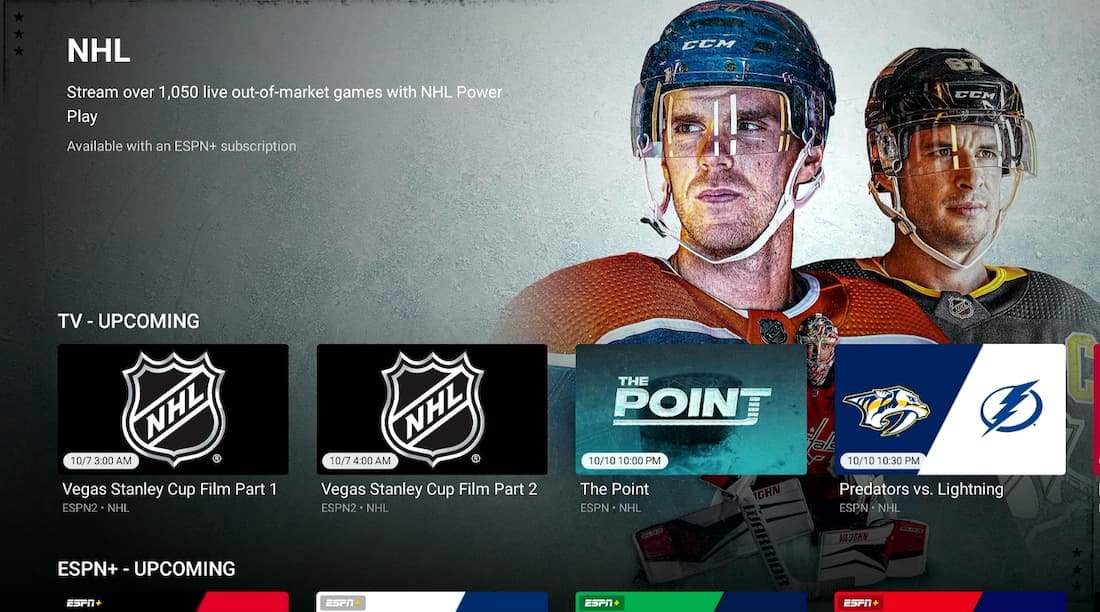
NHL Power Play on ESPN+ shows 1,050 of the 1,312 regular season games. The rest are blacked out and shown on local TV channels.
To comply with broadcasting agreements with Regional Sports Networks (RSNs), ESPN+ imposes these regional blackout restrictions by looking up your IP address location.
The only way to legally circumvent these geo-blocks and stream blackout NHL games is to use a VPN.
A VPN allows you to change your IP location and make yourself appear outside the blackout area and therefore bypass NHL geo-restrictions.
If you want to watch all NHL games without cable, including national blackout games, the Stanley Cup Playoffs and the Finals, you’ll need NHL.TV rather than ESPN+. NHL.TV is now only available outside North America via DAZN.
Quick Guide: How to Watch Blackout NHL Games
Get a VPN that unblocks ESPN+ and NHL.TV: We recommend PIA VPN or Surfshark, which offer free trials and a 30-day refund policy.
Connect to a server location outside the blackout area.
To bypass a local blackout: Connect to a US VPN server location where neither team is based, and access ESPN+.
To bypass a national blackout: Connect to a VPN server in the Netherlands or Germany, and access NHL.TV on DAZN.
Launch ESPN+ or NHL.TV and start streaming.
Why Trust Us?
We’re fully independent and have been reviewing VPNs since 2016. Our advice is based on our own testing results and is unaffected by financial incentives. Learn who we are and how we test VPNs.
VPNs Tested
60
Total Hours of Testing
30,000+
Combined Years of Experience
50+
In our tests, many VPNs struggled to bypass ESPN+ and NHL.TV’s geo-blocks. Of the 60 services we analyzed, we can only recommend three.
ESPN+ vs NHL.TV on DAZN: Which One to Use?
Deciding between ESPN Select (ESPN+) and NHL.TV on DAZN depends on the games you want to watch and the device you’re using.
To help you choose, we compared the two platforms side by side:
Table comparing ESPN+ with NHL.TV.
ESPN Select (ESPN+)
NHL.TV on DAZN
Number of Games
1,050
1,312
National Broadcasts
No
Yes
Stanley Cup Finals
No
Yes
Detects GPS on Mobile
Yes
No
Pre-roll Ads
Yes
No
Accepts US Payment Method
Yes
No
Monthly Price
$12.99
~$14.99
In short, ESPN+ is cheaper and easier to access but NHL.TV on DAZN shows more NHL games.
We recommend using ESPN+ whenever it shows your game. You can see this by viewing the ESPN NHL schedule and checking the ‘TV’ column.
How to Watch Blackout NHL Games with a VPN
The only way to legally bypass geo-restrictions and watch blackout NHL games is with a VPN.
On most devices, all you need to do is sign up for a compatible VPN service, connect to a VPN server in a different region, and open ESPN+.
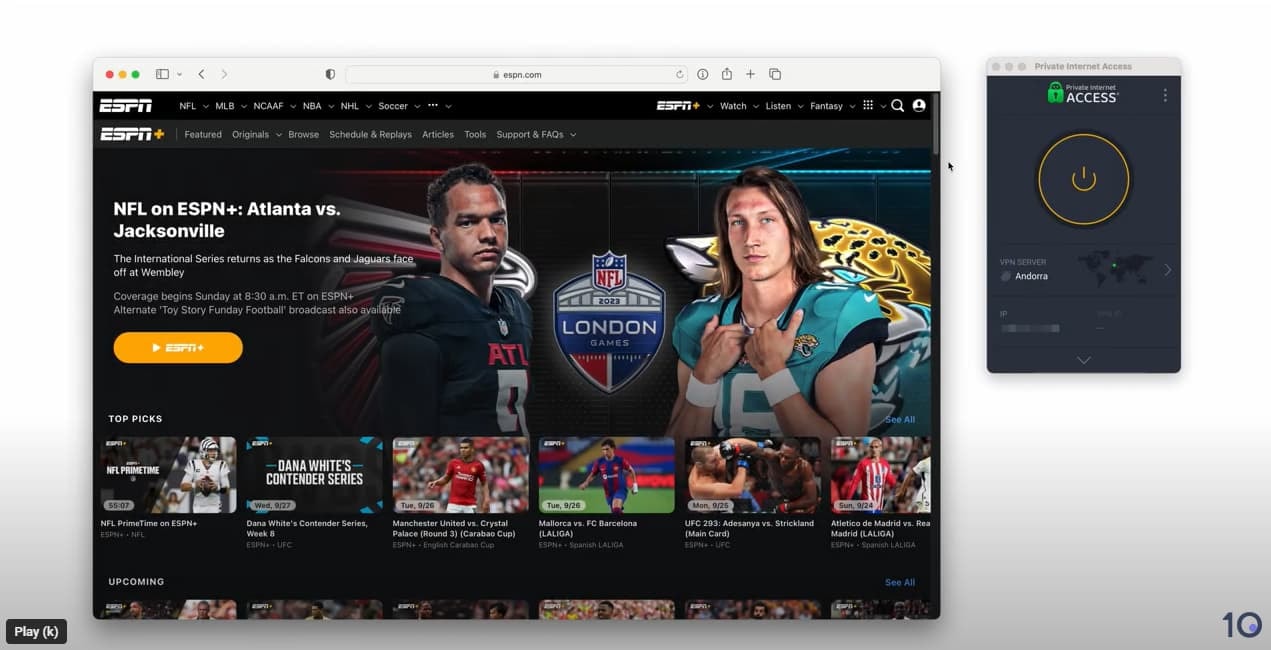
Watch us quickly and easily bypassing ESPN+’s geo-blocks in the video below.
However, the process does vary depending on the device you’re using, and whether the game is regionally or nationally blacked out.
Below you can find detailed steps for each device.
Windows & macOS
Out of all the devices we tested, bypassing NHL blackouts on your computer is the most straightforward.
Instructions: How to Watch ESPN+ Blackout Games on PC & Mac
Subscribe to a VPN and install the app on your device: We suggest using PIA VPN because of its wide range of US server locations, fast speeds, and reliable access to ESPN+.
Connect to a VPN server in a state where the game is available: You can use our blackout Map below to see where games are available.
Open ESPN+ in your web browser and log in.
Start streaming on ESPN+: Scroll down and select NHL under Leagues. You will now have access to live NHL games that would otherwise be blocked in your area.
We used the PIA VPN app and browser extension to bypass NHL blackouts on our laptop.
Android
The ESPN+ Android app uses GPS data to verify your location. To stream NHL games shown on ESPN+ on your Android device, you have to mimic the GPS location of a different state using a VPN like Surfshark that can spoof your GPS location.
Instructions: How to Beat ESPN+ Blackouts on Android
Download and install the Surfshark app: Surfshark is a great VPN that works with ESPN+ and comes with a built-in GPS spoofer.
Enable the GPS Spoofing setting: Open the Surfshark app, tap Settings, and enable Override GPS location under Advanced settings. You will get a message asking you to enable developer options.
Enable Developer Options: To enable GPS spoofing, you’ll need to activate the hidden developer options on your device. Go to Settings > About Phone. Tap the ‘Build Number’ 7 times, and you will get a message informing you that you’re in developer mode.
Select Surfshark as a Mock Location App: Once you’ve enabled developer options, return to the Surfshark app and tap the arrow to proceed. Now tap Open Settings, followed by Select Mock Location App, then Surfshark.
Connect to a Surfshark VPN server where the game is not restricted: Both your GPS location and IP address will now match your chosen server location.
Start Streaming on ESPN+: Open the ESPN+ app and start streaming your local NHL game. If you’re still in the wrong region, clear the ESPN+ app’s cache within your phone’s Settings app.
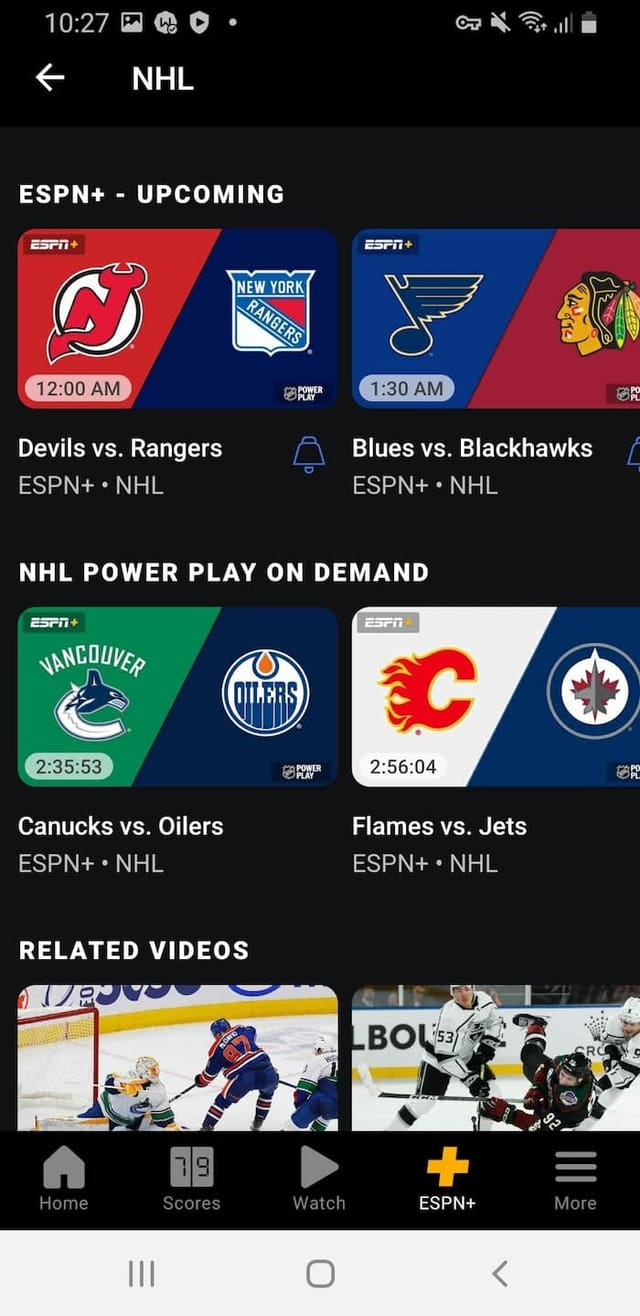
Watching blackout NHL games on Android.
iOS
On iOS devices, the ESPN+ app uses your device’s GPS location and IP address to enforce blackout restrictions.
The problem is iOS doesn’t support GPS spoofing, therefore making it impossible to watch blackout NHL games on ESPN+ using an iPhone or iPad.
Luckily, you can still watch blackout NHL games on iOS using NHL.TV on DAZN, which covers every NHL game, including nationwide blackout games and the Finals without restrictions.
NHL.TV on DAZN is available in a wide range of countries outside of the US and Canada. To sign up, you’ll need to get a foreign IP address using a VPN and often a payment method for the country you’re connecting to.
Instructions: How to Beat NHL.TV Blackouts on iOS
Download and install a VPN: Surfshark is our preferred choice since it works with more DAZN regions than PIA.
Connect to a VPN server in a country where NHL.TV is available: There are countries, like Ukraine, that have very cheap NHL.TV subscriptions and no blackout restrictions.
Download the DAZN app & sign up to NHL.TV: You may need a local payment method (card) to sign up. You won’t be able to use any existing US or Canadian DAZN account, either.
Stream any NHL game.
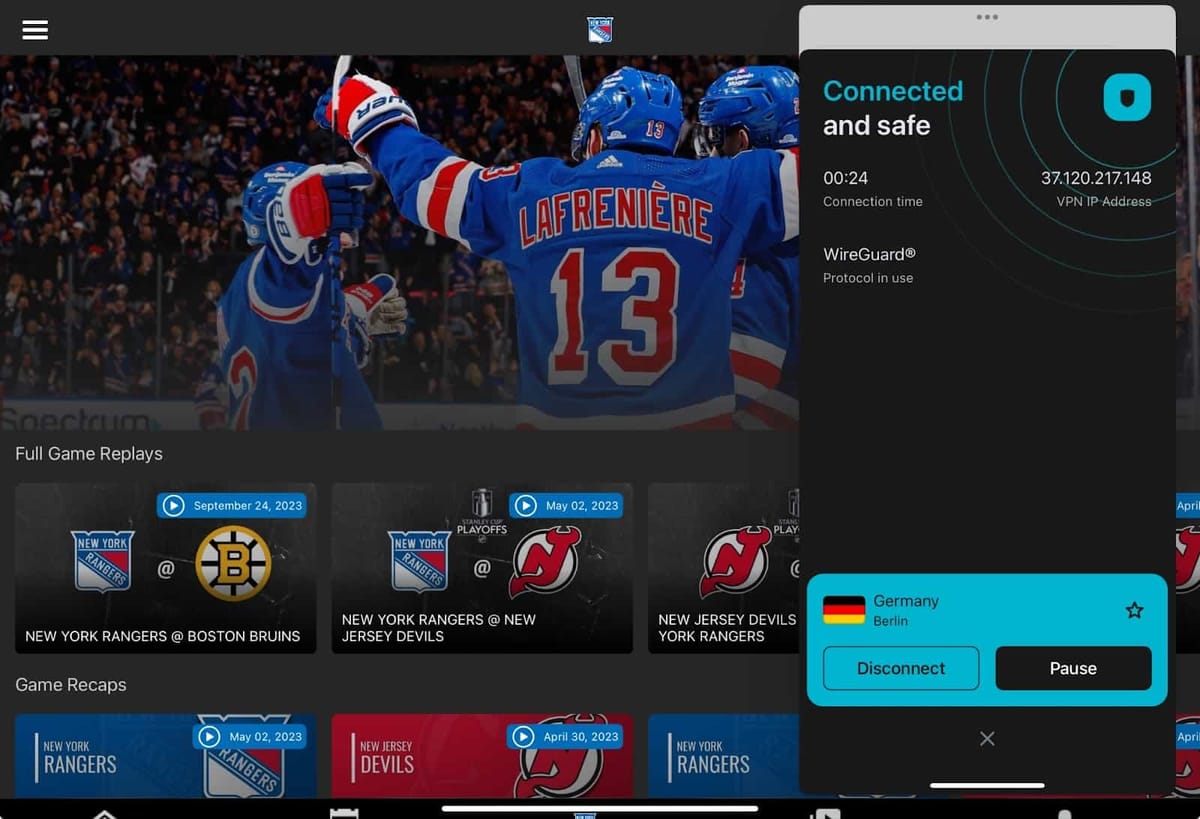
You can access NHL.TV by connecting to a VPN server in Germany.
This means you can stream geo-restricted NHL games on all three devices, as long as you choose a VPN with dedicated apps.
Instructions: How to Beat ESPN+ Blackouts on TV
Subscribe to a compatible VPN: Surfshark has apps for Fire TV, Apple TV, and Android TV, and works with ESPN+.
Download and install the app onto your device: Search the Amazon Appstore or Google Play Store for Surfshark. Then, select the download icon.
Connect to a server in a state where the game is available: Open the VPN app and choose a server in a state where there aren’t any blackout restrictions.
Open the ESPN app and start streaming your chosen NHL game without any blackout restrictions.
ESPN+ is available via the regular ESPN Fire TV app.
Crucially, Roku devices don’t support VPN apps or Smart DNS proxies. In our experience, the easiest way to use a VPN with Roku is to create a mobile hotspot on your Windows PC.
Instructions: How to Beat NHL Blackouts on Roku
Get a VPN that unblocks ESPN+ and NHL.TV.
Download and install the VPN app onto your Windows computer.
Activate your PC’s mobile hotspot: Go to Settings > Network & Internet > Mobile hotspot and toggle to On.
Make a note of your network name and password: If you want to change them, click Edit, make any changes, and click Save.
Locate your VPN’s TAP adapter: Go to Network & Internet > Advanced network settings and right-click on your VPN’s TAP adapter. From the drop-down menu, go to More Adapter options and click Edit.
Edit your sharing settings: Click the Sharing tab and tick the box that says: “Allow other network users to connect through this computer’s internet connection”.
Select your newly-created hotspot: From the drop-down menu under Home networking connection: select Local Area Connection*. Click OK to apply the changes.
Note: This local area connection may be numbered, but it will always have an asterisk.
Go to the VPN app and select OpenVPN: Otherwise the mobile hotspot won’t work properly.
Connect to a VPN server in a state where the game is being broadcast: You can use our blackout map further down to see where games are available.
Connect your Roku to your mobile hotspot network: On your Roku go to Settings > Network > Set up connection > Wireless and select your PC’s connection.
Launch the ESPN channel on Roku and start streaming.
You can access ESPN+ within the ESPN app for Roku.
The Best VPNs for Beating NHL Blackouts
To ensure we only recommend VPNs that provide you with the best experience, we tested 60 VPNs with ESPN+ and NHL.TV on various popular devices.
The table below compares our three chosen VPNs based on speed, price, server networks, and more:
Servers in 50 US states for bypassing ESPN+ blackouts
Unblocks NHL.TV on DAZN in several countries
Fast internet speeds around the world
Very affordable on longer-term pricing plans
User-friendly apps & browser extensions
No Android GPS spoofer
Smart DNS proxy doesn’t work properly
Many unreliable US servers on Firestick
Pricing Plans
$11.99/mo
$7.50/mo over 6 months
$1.75/mo over 26 months
Money-Back Guarantee
30 Days
Free Trial Duration
7 Days
Countries with Servers
91
US States
50
Simultaneous Connections
Unlimited
Support
24/7 Live Chat
Compatible with
Windows
Mac
iOS
Android
Linux
Amazon Fire TV
Android TV
Apple TV
Router
Chrome
If you need a VPN to stream blackout NHL games on ESPN+, then Private Internet Access (PIA) is our top choice.
We found it very easy to connect to its fast US VPN servers that cover all 50 states and unblock region-restricted streams on NHL Power Play.
The VPN is also very affordable, costing only $1.75/mo over 26 months, and it even works with NHL.TV on DAZN, although not as well as Surfshark.
We used the PIA VPN app and browser extension to beat NHL blackouts.
Easily Bypasses Local & National Blackouts
PIA runs 18,651 servers in 91 countries, including IP addresses from all 50 US states.
The service’s excellent US coverage is particularly relevant for NHL streaming, since it allowed us to easily connect to a nearby state and watch blacked out games at high speed.
PIA VPN’s US servers in the Android app.
The only frustrations we had with these US servers was on PIA’s Firestick app, where a large percentage of them didn’t work.
If you’re looking to use NHL.TV instead of ESPN+, PIA also has servers in the Netherlands, UK, and Ukraine. They all worked with DAZN, and allowed us to access games not shown on ESPN+.
Servers That Worked with ESPN+ & NHL.TV
ESPN+: US East Streaming Optimized, US West Streaming Optimized
NHL.TV on DAZN: Netherlands, Ukraine, United Kingdom
Fast Speeds for HD Streaming
PIA’s servers are some of the fastest in the industry, delivering a seamless streaming experience even during live events.
In our hands-on tests, the VPN was always quick enough to load live blackout NHL games in full resolution — even when connecting from the US to a European server.
Within the US, we observed a barely noticeable speed loss of 4% connecting to neighboring states.
Connecting from the East coast to the West, our internet speed dipped by only 10%.
And connecting to PIA’s VPN servers in Germany to access NHL.TV, we measured an impact of 16% on speed.
Overall, the internet speeds we experienced through PIA were more than enough for streaming games in HD, without any buffering or lag.
Very Affordable on Longer-term Plans
Not only is PIA an excellent VPN for watching the NHL, but it also comes at a very competitive price.
The service costs only $1.75/mo over 26 months or $11.99 month-to-month.
At these prices, it’s one of the cheapest VPNs you can get.
The service also offers a 7-day free trial, and a 30-day refund guarantee if you aren’t happy with your purchase.
Surfshark isn’t as fast as PIA, especially over longer distances. That said, it’s a far better option to watch ESPN+ on Android, and to access NHL.TV on DAZN.
This is thanks to its Android app’s exceptional integrated GPS spoofer, and the fact that the VPN unblocks more DAZN regions than PIA.
Also, Surfshark is priced similarly to PIA, although its smaller US server network and slower international speeds may not satisfy everyone.
Surfshark frequently unblocked both NHL streaming platforms.
Beats ESPN+ GPS Restrictions on Android
The ESPN+ mobile app uses your device’s GPS location data to enforce geo-blocking for live broadcasts.
However, we successfully jumped over this hurdle by using Surfshark’s ‘Override GPS’ setting, aligning our device’s GPS coordinates with our VPN server’s IP address.
This allowed us to trick ESPN+ and we managed to stream blacked-out games on our Samsung smartphone.
Setting up Surfshark’s Override GPS Location.
While Surfshark covers fewer cities than PIA (24 versus 50), its coverage is still wide enough to ensure high-speed access to geo-restricted live streams.
Surfshark’s key advantage over PIA is its superior access to NHL.TV on DAZN. While PIA only works in a handful of regions, Surfshark unblocks a larger number of international markets.
Servers That Worked with ESPN+ & NHL.TV
ESPN+: United States – Boston, United States – Dallas
Surfshark is priced similarly to PIA and available for as little as $1.78/mo over 27 months.
You can also take advantage of a 7-day free trial available via desktop and mobile, plus a 30-day refund guarantee.
Despite the obvious upsides of using Surfshark, we did encounter a couple of UX issues we feel compelled to mention.
Firstly, we’re not fans of the oversized look and feel of the Windows and macOS apps. The abundance of additional settings offered by Surfshark makes both clients feel somewhat cluttered.
Surfshark’s VPN app for macOS.
The second issue was noticeably slower connection times on some servers compared to PIA. For example, connecting to German servers on mobile consistently took over five seconds.
24-hour desktop free trial (no payment details needed)
3-day (Android) & 7-day (iOS) moble free trials
Compatible with ESPN+ & NHL.TV
Smart DNS proxy servers in several countries
Free browser extension covering four countries
45-day money-back guarantee
Inconsistent connection speeds
No Android GPS spoofing setting
Fewer US locations than PIA VPN
Pricing Plans
$12.99/mo
$6.99/mo over 6 months
$1.75/mo over 26 months
Money-Back Guarantee
45 Days
Free Trial Duration
1, 3 & 7 Days
Countries with Servers
100
US States
10
Simultaneous Connections
7
Support
24/7 Live Chat
Compatible with
Windows
Mac
iOS
Android
Linux
Amazon Fire TV
Android TV
Apple TV
Router
Chrome
CyberGhost is our favorite VPN free trial for watching blackout NHL games online.
Unlike every free VPN we’ve tested, such as Proton VPN and TunnelBear, CyberGhost’s 24-hour free trial easily bypassed ESPN+ and NHL.TV’s geo-restrictions on PC and Mac.
The VPN’s diverse server network in 100 countries, and intuitive applications make it one of the most effective and reliable products available.
That said, CyberGhost doesn’t provide as many server locations in the United States as PIA, nor does it include as many additional features as Surfshark.
CyberGhost’s server list on its desktop app.
A Wide Range of Free Trial Options
With CyberGhost’s 24-hour, 3-day, and 7-day free trials — along with its 45-day money back guarantee — you can try out the VPN for several weeks before committing to a long-term subscription.
Therefore, you can watch just one or two blackout NHL games using CyberGhost completely free. Simply sign up to one of its free trials, or claim your money back within 45 days.
In the table below, you can compare CyberGhost’s free trial against popular free VPNs:
PrivadoVPN Free
ZoogVPN Free
CyberGhost
Monthly Data Cap
10GB
10GB
Unlimited
Local Download Speed
97Mbps (3% loss)
94Mbps (6% loss)
95Mbps (5% loss)
Countries With Servers
11
5
100
Compatible with ESPN+
No
No
Yes
When signing up for the free trial on iOS or Android, you’ll need to enter your payment details, so make sure to cancel before the trial ends to avoid being charged.
Not as Fast & Fewer US Server Locations
While CyberGhost is generally slower than both PIA and Surfshark, its speed loss connecting to nearby servers was just 5%, which allowed us to stream games without buffering or lag.
Speed performance worsened over greater distances, like connecting to Germany or Ukraine, where the slowdown increased to 19%. Our connection was also inconsistent, leading to noticeable picture degradation at times.
Moreover, CyberGhost only serves 11 US locations. This is considerably fewer than its rivals, and we believe it contributes to slower speeds even when connecting within the United States.
Servers That Worked with ESPN+ & NHL.TV
ESPN+: United States – Optimized for ESPN+, United States – Miami
To help you prepare for blackout games, we’ve compiled a list of NHL blackout rules for each US state and created an up-to-date NHL blackout map.
With this map, you can see exactly which teams are blacked out in your area. You can also see which regions to get an IP address from to circumvent these blackout restrictions.
As you can see, some blackout regions span entire states. You can still be blocked from accessing a team’s games even if you live hundreds of miles away. There are also many instances where there are multiple teams blacked out in the same state.
If you’re physically located in your team’s blackout region, connect to a VPN server in the nearest location outside of the blackout boundary for the fastest speeds.
Why Does the NHL Blackout Games?
NHL TV blackouts occur because the NHL sells broadcasting rights to specific games to regional sports networks (RSNs) and national broadcasters.
RSNs broadcast NHL games in a specific region or area, while national broadcasters cover games nationwide.
These media partners pay substantial fees for the exclusive broadcasting rights, forming an essential revenue stream for both the league and individual teams.
Therefore, to uphold contractual agreements with broadcasters, the NHL imposes blackout restrictions in specific areas.
When a game is shown on an RSN, such as SportsNet Pittsburgh, it’s subject to blackout restrictions within the local area of Pittsburgh in an attempt to preserve exclusivity and viewership on the network.
Similarly, games aired by national broadcasters, like TNT, are subject to nationwide blackout restrictions.
How We Test VPNs for Streaming the NHL
We chose our top three VPNs for bypassing NHL blackouts based on the following criteria:
Streaming functionality: Only services proven to unblock NHL games on both platforms were tested further.
Number of US servers: To bypass local blackouts on ESPN+, a VPN needs servers in multiple US states.
International servers: To access NHL.TV, the VPN should have servers in locations where the service is available, like in Europe.
Speed: Fast connection speeds are essential for streaming HD NHL games without buffering or lag.
Ease of use and compatibility: The VPN should have a reliable connection, a simple setup process, and easy-to-use applications for a range of different devices.
Affordability: We’ve prioritized affordable VPNs that offer a 100% free trial or a long refund period.
FAQs
Will ESPN+ or DAZN Ban My Account for Using a VPN?
Both streaming services prohibit the use of VPNs in their Terms of Service, but account bans are extremely rare, in our experience.
The most common outcome is a blocked stream, or a rejected refund request, whenever VPN use is detected.
Are the Stanley Cup Playoffs on ESPN+?
No, ESPN+ doesn’t broadcast playoff games. You can watch them on ESPN channels, though.
To stream every playoff game, including the Final, use a VPN with NHL.TV via DAZN outside North America.